What this guide is really about
A social media workflow is the repeatable loop that moves content from idea to published post to reviewed result. Not a strategy document, not a content calendar, not a pillar chart. The sequence of steps you run every time you post, including who owns each step and what counts as done.
If you have been publishing content and it still feels chaotic every single time, the gap is probably not your strategy or your ideas. It is the absence of a workflow that handles the connective tissue: capturing ideas, assigning owners, reviewing before publishing, closing the scheduler, and feeding what you learned back into the next cycle.
This guide is the operating system between strategy and published posts. Strategy and pillars decide what is worth saying. Content batching is how you produce a week of drafts in one session. Approval is the review gate when more than one person touches the queue. The workflow is the always-on loop that assigns owners, handoffs, and a Learn stage so next week is not a blind restart. Five stages, solo and 1-3 person variants, no agency stack required.
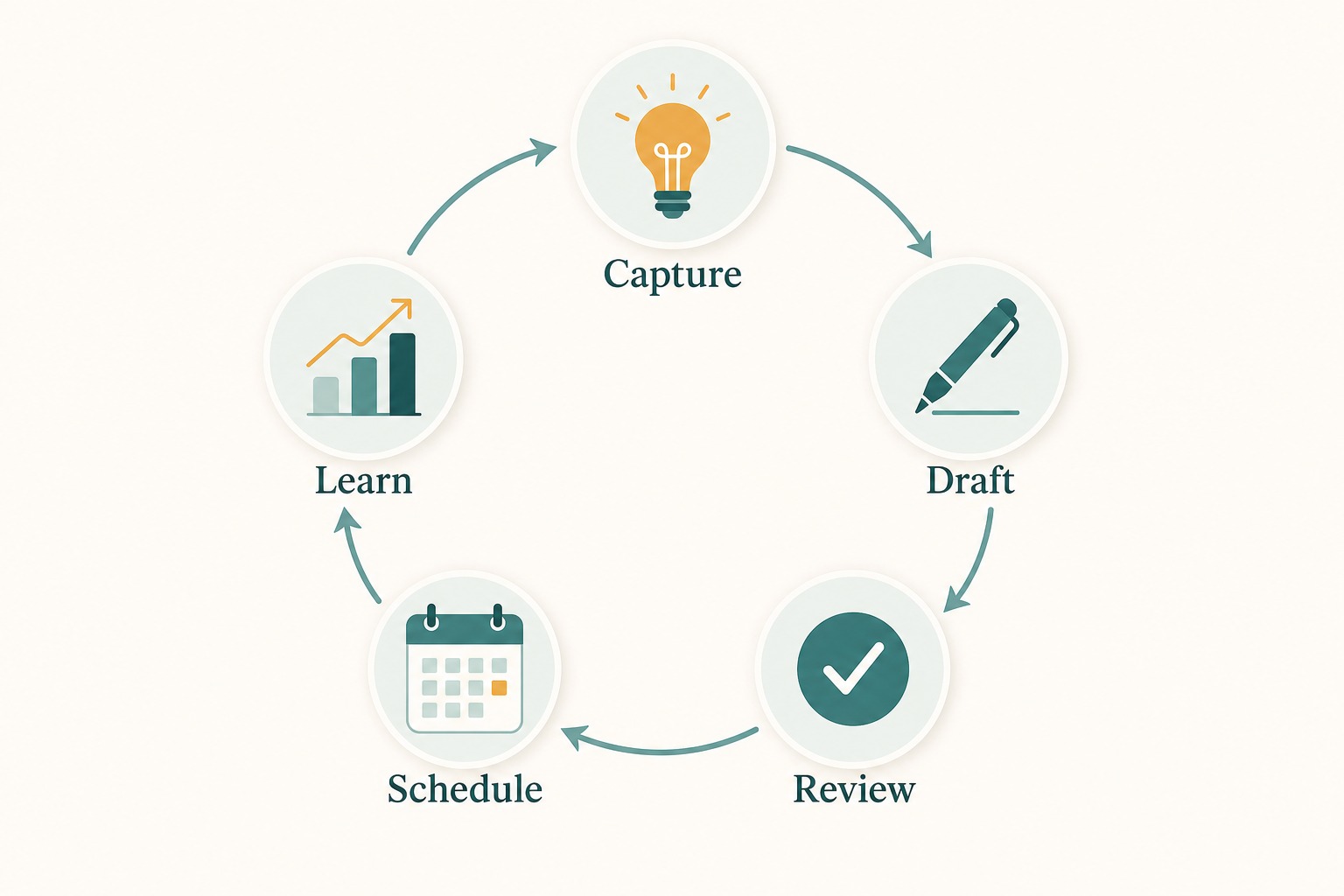
A social media workflow is the repeatable loop that moves content from idea to published post to reviewed result. Five stages: Capture, Draft, Review, Schedule, Learn. Each has an owner and a definition of done. Tool-agnostic, works with a notes app and a scheduler.
A five-stage operating loop you can run with a notes app and a scheduler
Solo and small-team variants for teams of one to three people
Five common workflow failure modes and how to prevent each one
A Threads-specific adaptation checkpoint for text-first platforms
A workflow is the operating loop between strategy and published posts. Batching, calendars, and approval plug into it; they do not replace it.
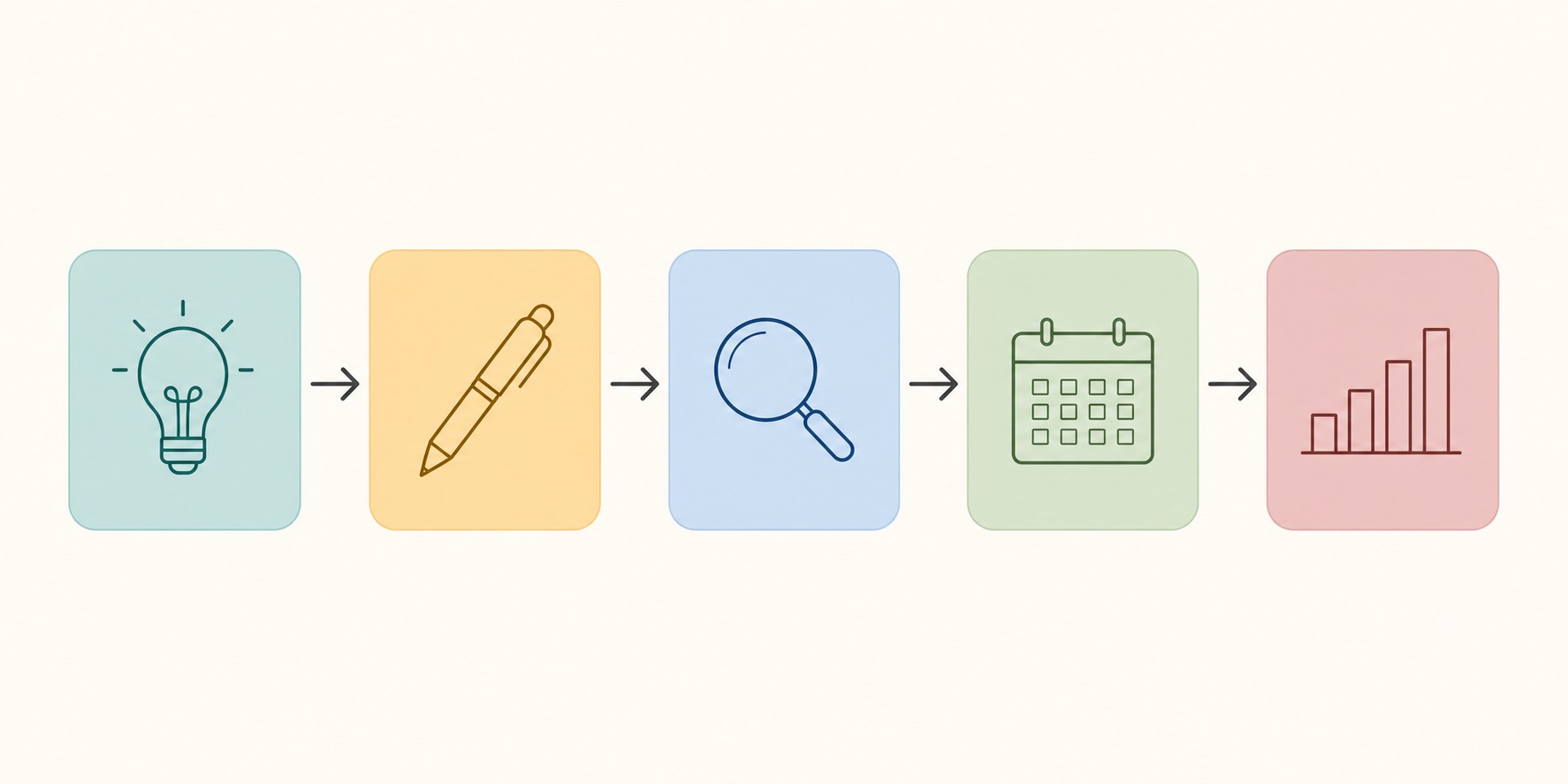
Five stages cover most creator and small-team needs: Capture, Draft, Review, Schedule, Learn.
Every stage needs an owner and a definition of done. Unowned stages are how processes die.
Solo creators need a self-review gate. Teams need a second reader on Review, not a heavier chain for every post.
Learn is the stage that makes this more than a production checklist. Without it, every batch starts blind.
What a Social Media Workflow Actually Is
Your social media content strategy decides what you talk about and why. Your content pillars narrow that into recurring themes. Your content calendar plots those themes onto days. Content batching is the production session that turns several calendar slots into drafts at once. Your workflow is the full loop that turns a calendar entry into a finished, published, reviewed post, then feeds what you learned back into capture. Each layer feeds the next. Workflow is where ownership and handoffs live, not where you re-learn how to write five posts in one sitting.
Many creators have a strategy document and a calendar but no actual workflow. That gap looks like staring at a blank scheduler every Monday, writing posts from scratch each time, publishing without review, and never looking at analytics because the next post is already overdue. The symptoms are inconsistency and a vague feeling that content is harder than it should be.
A workflow solves this by defining what happens, in what order, every time. Once you have run the same five stages for a few weeks, posting stops feeling like starting from zero. You start each week with captured ideas, move them through a known drafting process, review them against a simple checklist, schedule them in one batch, and then spend a few minutes learning from the results.
The Five Stages: Capture, Draft, Review, Schedule, Learn
Stage one is Capture. Ideas are perishable. If you do not write them down when they happen, they vanish by the time you sit down to draft. Capture is not about generating ideas in a brainstorming session. It is about building a low-friction habit of recording observations, questions, reactions, and half-formed thoughts throughout the week. A notes app, a dedicated channel in your team chat, or a single document all work. The only rule is that capture must take less than ten seconds, or you will not do it.
Stage two is Draft. A captured idea becomes a complete first draft, not a polished final. Write the hook, the body, and the ending without stopping to edit. If you produce multiple posts in one block, use a content batching session for the mechanics: a no-edit rule, hardest posts first, a hard stop, then a separate adapt pass. The workflow rule is simpler: every selected idea leaves Draft as a full draft with an owner and a next stage (Review), not as a half-written note in a random document.
Stage three is Review. Before anything gets scheduled, it passes through a quick quality check. For solo creators, this means reading the post aloud, checking for clarity, and confirming it matches the intended content goal. For small teams, this is where a second person reads the draft and either approves it or sends it back with specific feedback. A social media approval workflow handles this stage in more detail, but the core principle is the same: nothing publishes without a second look, even if you are the one looking twice.
Stage four is Schedule. Move only reviewed posts into your publishing tool or native scheduler. Batch the load so you are not making a daily decision about what to post. When you schedule Threads posts through the API or a scheduling tool, this is also the stage where you set the time, confirm the format, and make sure any attachments or links are correct, following the publishing workflow in the official Threads API documentation. The workflow rule here is access control: nothing unreviewed enters the queue, and the scheduler is closed when the batch is loaded. Stage five is Learn. After posts have been live for at least 48 hours, check what happened. Which posts got more replies? Which were saved or shared? Which prompted follows or profile visits? You are not looking for viral wins. You are looking for patterns that improve the next batch. This stage is where most workflows silently die, because reviewing results feels less productive than writing the next post. But without it, you are drafting blind.

Solo Creator vs Small Team: Two Ways to Run the Same Stages
A solo creator can run all five stages alone, but the workflow still needs structure. The risk for solo creators is skipping the Review stage because there is no one else to catch mistakes. The fix is to build a self-review step: after drafting, step away for at least 15 minutes, then read each post aloud before scheduling. This catches awkward phrasing, unclear hooks, and posts that promise one thing but deliver another. A solo workflow might look like a 90-minute batching session: 15 minutes to review captured ideas, 45 minutes to draft five to seven posts, 15 minutes to self-review, and 15 minutes to schedule.
A team of two to three people needs the same five stages but with clearer role assignments. One person captures ideas and drafts posts. Another reviews for accuracy, brand voice, and platform fit. A third might handle scheduling and analytics review. In a two-person team, the creator drafts and the reviewer checks before scheduling. The key is that each stage has an owner, and the Review stage is always a different person from the one who drafted. If you are the founder and the only writer, your reviewer might be a trusted freelancer briefed with your content brief template or a VA trained on your voice guidelines.
Here is a practical comparison. In a solo workflow, Capture happens continuously, Draft happens twice a week in 45-minute sessions, Review is a 15-minute self-check, Schedule takes 15 minutes in one batch, and Learn is a 10-minute analytics scan every Friday. In a three-person team, Capture is shared across all three, Draft is owned by the content creator, Review is owned by the editor or brand lead, Schedule is handled by the social media manager, and Learn is a Monday meeting where the team reviews the previous week and adjusts the upcoming batch.
Having stages on a slide deck but no named owner for Capture, Review, or Learn.
Calling a draft done before it has a hook, body, ending, and platform label.
Sending unreviewed posts into the scheduler because a calendar slot is empty.
Building a heavy approval chain for routine posts, or skipping Review entirely.
Checking analytics without writing anything back into next week's Capture list.
Where Workflows Break: Five Failure Modes
Failure mode one is no named owner for Capture. Ideas pile up in random locations or never get written down because no one is responsible for the inbox. The fix is simple: name one person (even if it is yourself) as the Capture owner, and give them one location to manage.
Failure mode two is Draft with no definition of done. A captured idea sits half-written for days because nobody decided what counts as a finished draft. The fix is a one-line definition: a draft is done when it has a hook, a body, an ending, and a platform label. Anything less stays in Capture.
Failure mode three is Review skipped or bloated. Solo creators skip it entirely. Small teams build heavy approval chains that slow every routine post. The fix is a tiered gate: solo creators use a time gap and a read-aloud check. Teams use one designated reviewer who can approve, request one specific fix, or kill the draft.
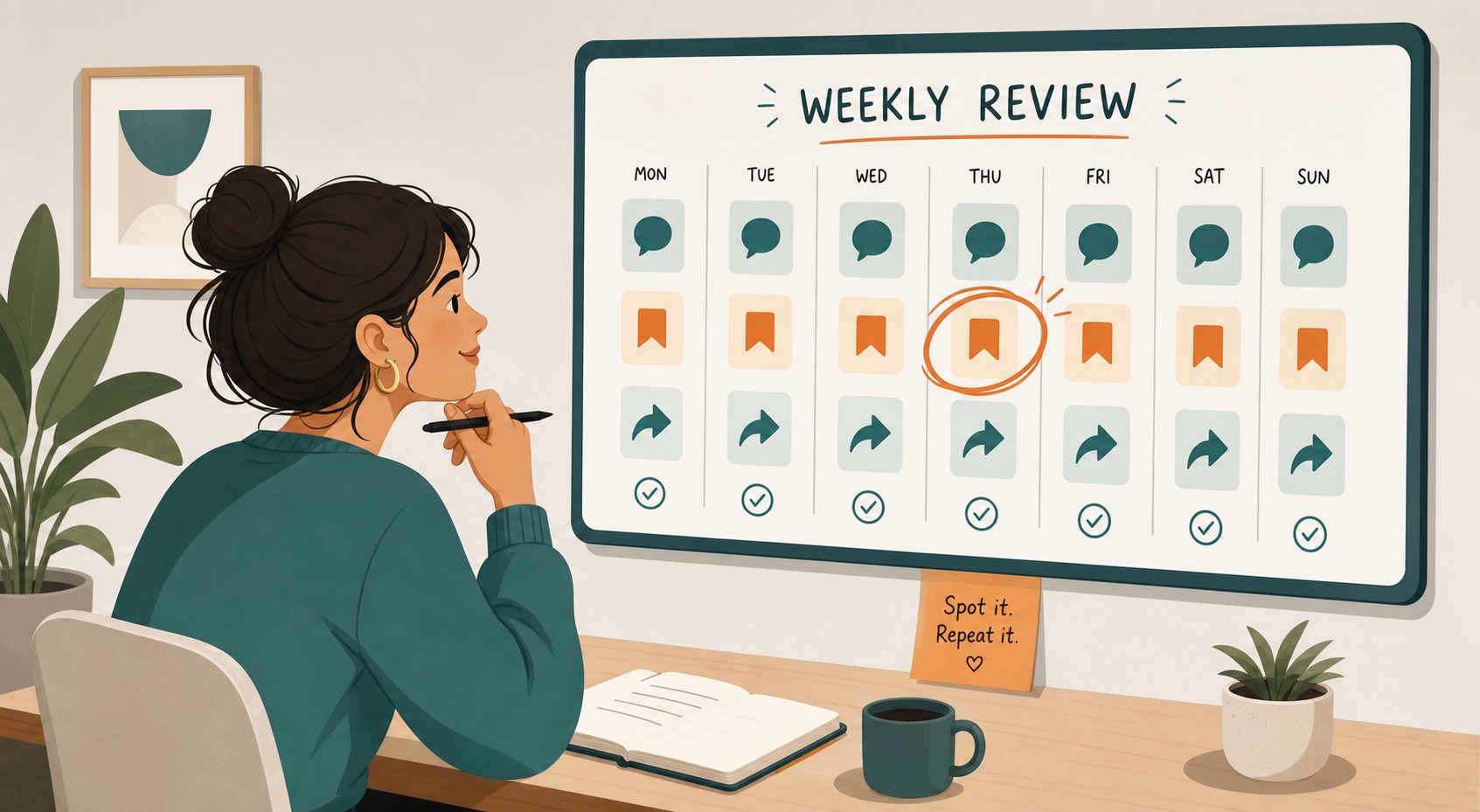
Failure mode four is Schedule before Review. Drafts go straight into the queue because the calendar slot is empty. The fix is access control: the scheduler only accepts reviewed items. An empty slot is better than an unreviewed post. Failure mode five is Learn as a vibe check. People glance at likes and change nothing. The fix is a standing 10-minute weekly review tied to Threads analytics or your platform insights, with two notes written into next week's Capture list: one topic to repeat, one pattern to drop.
Adapting Your Workflow for Threads and Text-First Platforms
Text-first platforms change what Draft and Review optimize for. On Threads, the first line has to stand on its own before someone expands the post. During Draft, write the Threads version with a clear opening line, short body lines, and a finish that does not depend on a link-in-bio habit your audience may not follow.
During Review, run a short Threads checklist: Does the first line make sense alone? Do line breaks make the post easy to scan on a phone? If you add a topic tag, is it actually about the post? You can paste a draft into the Free Threads Post Creator to preview feed layout before it hits the queue.
If you publish on more than one platform, keep adaptation inside Draft, after the primary version exists. Threads usually wants a tighter opening and shorter lines. LinkedIn often needs more context. Instagram may need a caption shaped for a carousel or story. Shipping the same text everywhere is a workflow miss, not a scheduling miss: the stage failed before the queue.
A Worked Example: One Week Through the Pipeline
Here is one sample week for a solo creator. Monday, Learn then Capture sort. You review last week's results for ten minutes. Customer-question posts earned more replies than trend reactions, so you tag two fresh customer questions in Capture as priority. You leave nine raw ideas in the list and choose five that match this week's focus.
Tuesday, Draft with a clear owner and definition of done. You write five complete first drafts in one block, label each platform target, and stop without polishing. Weak drafts get a flag, not a rewrite spiral. If you need a timed multi-post factory, that is a batching session inside this stage.
Wednesday, Review gate. For solo creators: time gap, read aloud, checklist. For teams: second person approves, requests one specific fix, or kills the draft. One vague post is cut. Four posts reach ready to schedule. Nothing unreviewed moves forward.
Thursday, Schedule only the approved set. You load the queue, set times, check links and tags, and close the tool in one sitting. For Threads-specific queue mechanics, use the same discipline described when you schedule Threads posts: one load session, then leave the queue alone. Next Monday, Learn closes the loop. You compare the four published posts, write two notes into Capture (more customer questions, drop thin trend reactions), and only then pick the next Draft set. The workflow is the loop. Batching, approval, and analytics are tools inside specific stages.
Action checklist
Use this as the practical next pass after reading the guide.
- +Write the five stages on one page and put a single owner next to each stage
- +Create one Capture inbox that takes under 10 seconds to use
- +Define Draft done as hook plus body plus ending plus platform label
- +Add a Review gate: solo time-gap checklist or a second-person approve or fix or kill
- +Block one Schedule session for reviewed posts only
- +Book a weekly 10-minute Learn slot that outputs notes into Capture
Conclusion
A social media workflow is not a tool you buy. It is the habit of moving content through five owned stages every cycle: Capture, Draft, Review, Schedule, Learn.
Start with the minimum: one capture inbox, one drafting block, a real review gate, one batch schedule session, and a 10-minute Learn scan that writes notes back into Capture. Add roles and tools only when volume or risk demands it.
The goal is not a perfect diagram. It is a loop you still run on busy weeks. When the loop is boring, you get capacity back for better ideas, sharper writing, and real conversations with your audience.