What this guide is really about
Most content brief templates were built for blog posts and SEO articles. They ask for target keywords, word counts, and header structures. That is fine if you are publishing a 2,000-word guide, but it falls apart when you are briefing someone to write a five-post Threads sequence, a LinkedIn carousel, or a week of short-form social content.
A content brief for social media needs different fields. It needs a hook, a platform-aware format, a tone that survives the handoff, and a clear call to action. This guide gives you a nine-field content brief template designed for social media creators, freelancers, and small content teams. You get the rationale for each field, a filled example for a Threads post, an adaptation guide for other platforms, and a checklist you can copy.
A content brief is a short document that tells a writer what to produce for one specific piece: the topic, audience, angle, format, platform, tone, key points, sources, and deadline. A good brief is specific enough that two writers would produce similar work, but flexible enough to let voice come through. Below: nine fields with a filled Threads example and a pre-publish checklist.
A nine-field content brief template you can copy today
A filled example showing how each field works for a real Threads post
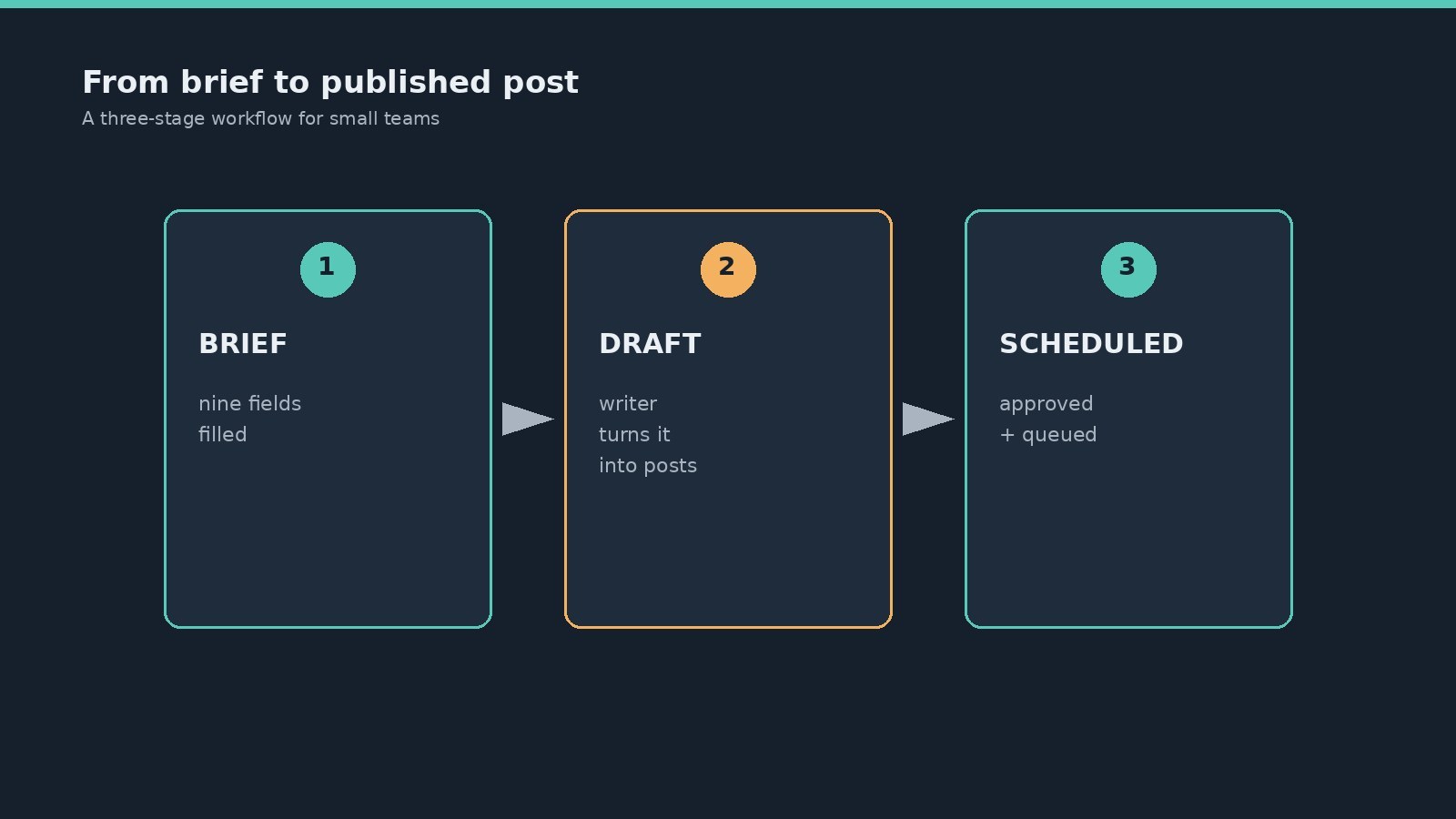
A small-team handoff workflow so nothing gets lost between writer and publisher
A social media content brief needs different fields than a blog SEO brief: hook, format, tone, and platform constraints matter more than keyword density.
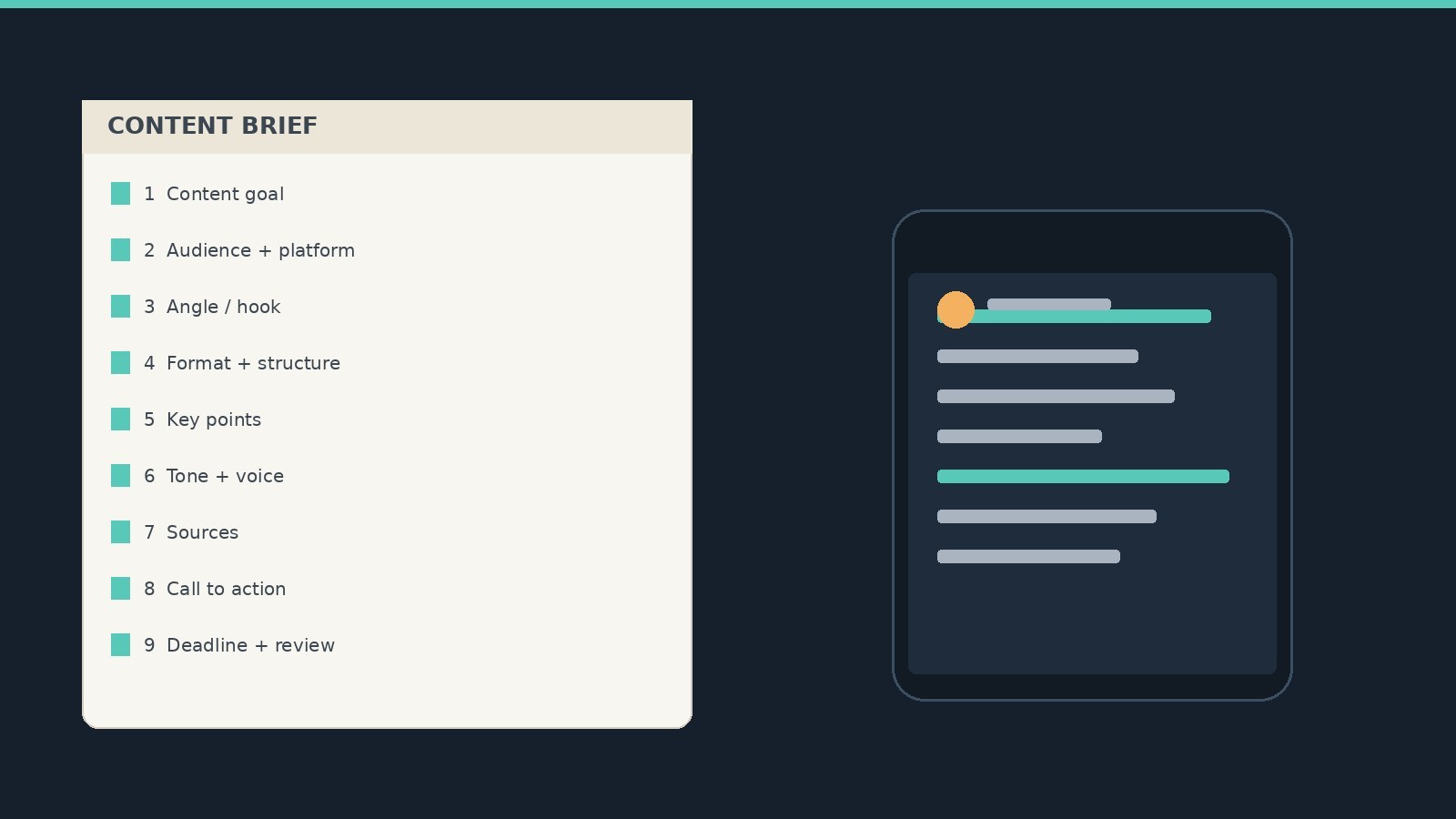
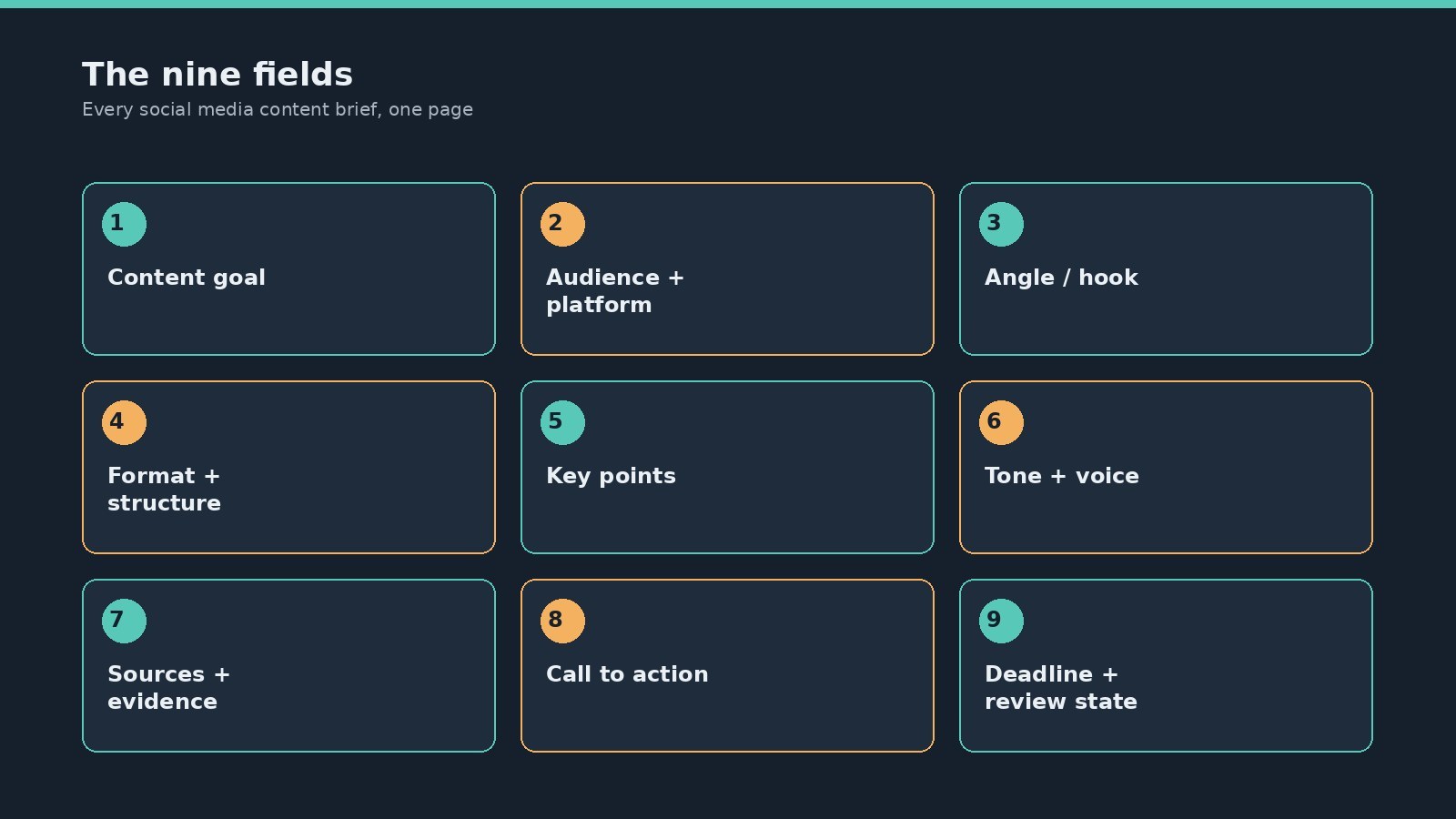
The nine fields are content goal, audience and platform, angle or hook, format and structure, key points, tone and voice, sources and evidence, call to action, and deadline and review state.
A good brief is specific enough that two writers produce similar work but flexible enough to let their voice through.
Fill the brief yourself before handing it off. An empty template teaches nothing.
Pair the brief with a lightweight approval step so quality issues get caught before publish, not after.
What a Content Brief Actually Is (And When You Need One)
A content brief is a short, structured document that defines what a specific piece of content should be before anyone writes it. It is not a content calendar, which says what gets published and when. It is also not the same as social media content pillars, which define recurring themes across your work. A brief is per-piece: it takes one post or one small set of posts and makes the requirements explicit.
You need a content brief whenever more than one person is involved in producing content, or whenever you are briefing your future self. If you write everything yourself, publish immediately, and never forget what you meant to say, you may not need one. But the moment you bring in a freelancer, hand a post to a teammate for review, or try to batch a week of content in one sitting, a brief is what keeps the work consistent.
The biggest misunderstanding is treating a brief as a creative straightjacket. A good brief does not script every word. It defines the job the content needs to do, the constraints it must respect, and the evidence it should lean on. How the writer fills that frame is where craft lives.
The Nine Fields That Belong in Every Content Brief
These nine fields cover what a social media creator actually needs to decide before writing. Each one earns its place by solving a specific failure mode. Skip one and you will see the gap in the draft.
1. Content goal. What should the reader think, feel, or do after this post? Not a vanity metric like get more replies. A concrete job: help a beginner understand scheduling, or push a reader toward a free tool. If you cannot state the goal in one sentence, the post is not ready to brief.
2. Audience and platform. Who is reading, and where? A Threads post for agency owners reads differently than a LinkedIn post for solo creators. Name the audience segment and the platform so the writer can match tone, length, and format expectations.
3. Angle or hook. What is the specific take? This is the line or idea that makes the post worth reading instead of scrollable. The hook belongs in the brief because it is the hardest part to improvise and the first thing a writer will guess wrong if you leave it out. If you want help generating hooks before you brief, the Free Threads Post Creator at https://www.joltsage.com/free-threads-post-creator can produce starting points you then refine into a brief. 4. Format and structure. Thread or single post? How many posts in the sequence? Carousel, text-only, or video script? State the format and any structural constraints. For Threads specifically, this is where you note the 500-character limit per post and any formatting like line breaks or bold text. Your writer should not have to guess the canvas. 5. Key points. The two to four ideas the content must land. Not a full outline, just the load-bearing points. If the writer hits these, the post works. If they miss one, the post is incomplete. Listing them keeps the draft focused and makes review faster. 6. Tone and voice notes. How should this sound? Confident but not preachy. Casual but not sloppy. If you have a brand voice guide, reference it. If not, give two or three concrete descriptors and one example of a post that hits the tone. Vague tone notes like be engaging produce vague drafts. 7. Sources and evidence. Links, data points, quotes, or examples the writer should reference. Social posts do not need footnotes, but if you are making a factual claim, cite where it comes from so the writer does not invent one. This field is also where you flag anything the writer must not claim, like unverified statistics or competitor comparisons. 8. Call to action. What do you want the reader to do next? Follow for more, try a template, reply with their take, click a link. A post without a call to action is a dead end. Put it in the brief so it does not get tacked on as an afterthought. 9. Deadline and review state. When is it due, and who signs off? If you run a lightweight approval workflow, note the state: draft, review, approved, scheduled. This field keeps the brief usable as a tracking document, not just a one-time instruction.
A Filled Example: Briefing a Threads Post
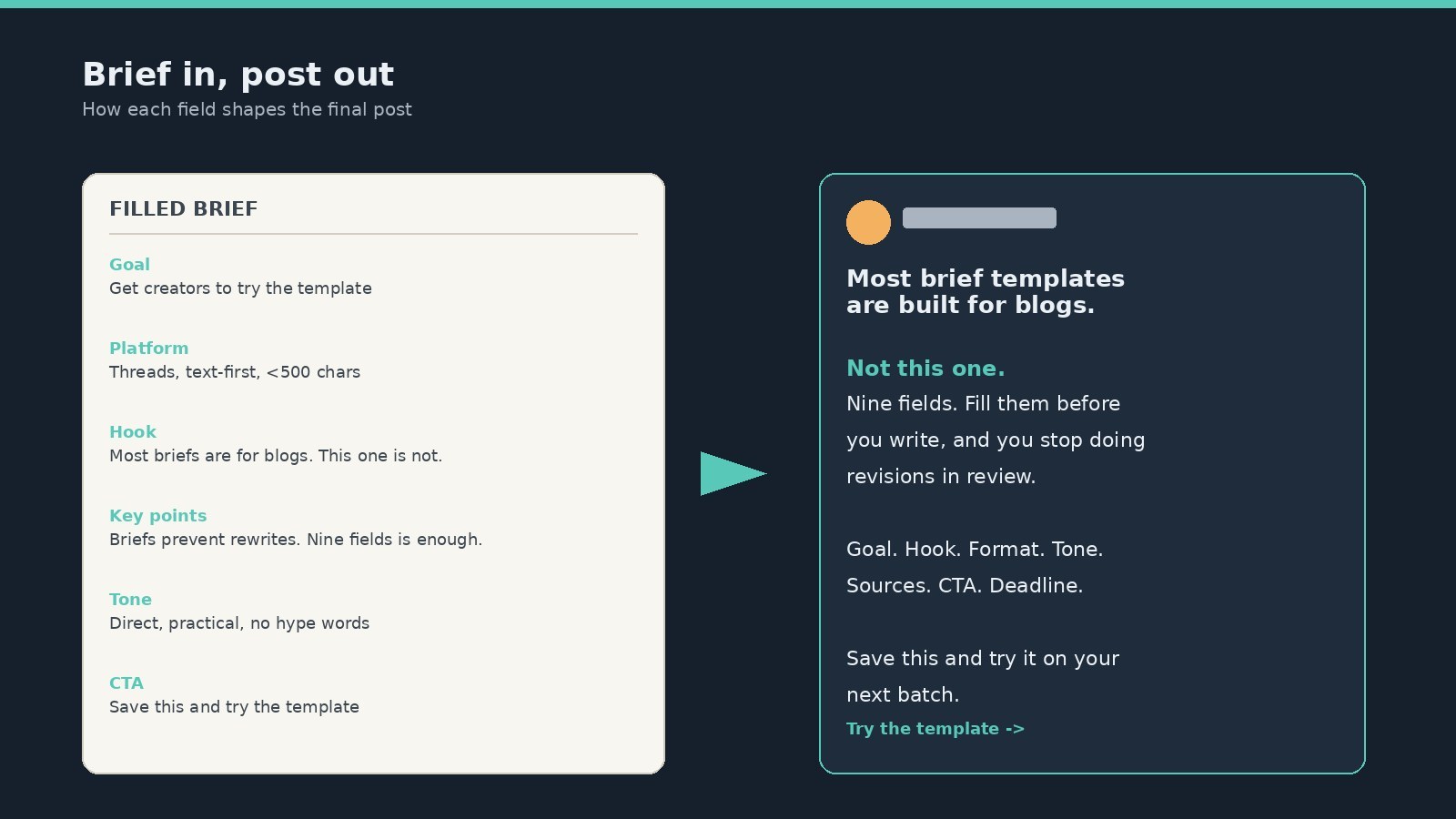
Here is the same template filled for a single Threads post. This is what you would hand to a freelancer or drop into your own planning doc before writing.
Goal: Help a busy creator understand that a content brief saves time, and get them to try the template. Audience and platform: Solo creators and small social teams on Threads. Angle or hook: Most brief templates are built for blogs, not social. Here is one that is not. Format: Single Threads post, text-first, under 500 characters, one line break for rhythm. Key points: briefs prevent rewrites, the nine fields are enough, fill it before you hand it off. Tone: Direct, practical, slightly contrarian. No hype words. Sources: link to the full template page, reference the approval workflow post. Call to action: Save this post and try the template on your next batch. Deadline and review state: Draft by Tuesday, review Wednesday, schedule Thursday.
Notice what is not in the brief. There is no keyword density target. No mandated header structure. No word count beyond the platform limit. The constraints are the ones that actually shape a social post: who reads it, what job it does, how it sounds, and what happens next.
Skipping the angle or hook field, then being surprised the draft sounds generic
Loading the brief with constraints and rules but no actual content, sources, or examples
Copying a blog SEO brief template and expecting it to work for short-form social posts
Treating the brief as final and never updating it when the writer flags a problem
Leaving the call to action out of the brief, then bolting it onto the draft as an afterthought
Adapting One Brief Across Platforms
One source brief can produce posts for multiple platforms if you adapt three fields: format, tone, and call to action. The content goal, audience, key points, and sources usually stay the same. What changes is how the idea is packaged.
For Threads, lean into the text-first format. Use the full 500 characters if the idea needs room, but do not pad. Line breaks and selective emphasis carry weight when the canvas is small. If you need a refresher on what fits, the Threads character limit guide covers the practical details.
For LinkedIn, slow the opening down and earn the read before making the point. Tone shifts slightly more professional, but not stiff. For X, compress the same idea into one sharp line or a short thread. For Instagram, the caption supports a visual, so the words do different work. The brief does not need to be rewritten for each platform. It needs three fields adjusted and the rest carried over.
The mistake is treating cross-posting as copy-paste. A content brief makes adaptation easier because the core idea is already fixed. You are not rethinking what to say, just how to say it for a different room.
Briefing Freelancers and Teammates Without Micromanaging
The brief is the handshake between you and the person doing the writing. If you overfill it, you are writing the post yourself and calling it a brief. If you underfill it, you get a draft that misses the point and a revision cycle that costs more than the brief would have.
Fill the goal, audience, angle, format, key points, and sources yourself. These are decisions, not creative tasks, and they are where most revision cycles start. Leave tone open enough that the writer can work, but anchor it with one example. Hand off the brief with the review state set to draft so the writer knows what comes next.
When the draft comes back, check it against the brief, not against your mental picture of the perfect post. If the writer hit the goal, the key points, and the tone notes, the brief worked. If they missed something, the brief probably was not clear enough. Fix the brief field, not just the draft, so the next handoff is better. If you are scheduling the approved post through an API workflow, the Threads scheduling guide walks through the mechanics of getting from approved draft to published post.
Brief Mistakes That Quietly Wreck the Final Post
The most common brief mistake is skipping the angle. Writers can infer format and tone, but they cannot guess your take. A brief without an angle produces a competent, forgettable post. Spend the most time on the hook field.
The second mistake is loading the brief with constraints and no content. Telling a writer to be engaging, use the brand voice, hit three key points, and stay under 500 characters gives them a cage with no bird. Give them the idea, the evidence, and one example. Constraints without substance produce filler.
The third is treating the brief as a one-way document. The best briefs include a line for the writer to push back. If a source is weak, if the angle does not hold up, if the format fights the idea, the writer should flag it before drafting. A brief that invites disagreement catches problems early instead of in review. This is also why the review state field matters: it turns the brief into a living document, not a stone tablet.
Action checklist
Use this as the practical next pass after reading the guide.
- +Copy the nine fields into a doc or template tool before your next batch
- +Fill every field yourself for one post before handing it to anyone else
- +Write the hook or angle in full sentences, not fragments
- +Add at least one source or example so the writer has something concrete
- +Set the review state and name who approves before the draft starts
- +After the first handoff, ask the writer which field was least clear and fix it
Conclusion
A content brief is the difference between hoping a post turns out right and making sure it does. The nine fields in this template cover what a social media creator actually needs to decide: the goal, the audience, the angle, the format, the substance, the tone, the evidence, the action, and the timeline.
Start by filling one brief for your next post. Do it yourself, all nine fields, before you hand it to anyone. If a field feels like busywork, cut it. If a field keeps saving you revisions, keep it. The template is yours to shape. The point is that the decisions get made before the writing starts, not during review.