J JoltSage Threads Growth Blog
Blog / Scheduling
Threads guide

June 12, 2026 | 12 min read | 2,588 words

How to Schedule Threads Posts in 2026 (The Complete Step-by-Step Guide)

A complete guide to scheduling Threads posts in 2026. Compare the best free and paid Threads schedulers, learn the official API method, and build a weekly content calendar that keeps your audience growing on autopilot.

Scheduling how to schedule Threads postsschedule Threads postsThreads schedulerThreads scheduling toolbest Threads scheduler 2026
At A Glance
  • Updated June 12, 2026
  • Read time 12 min
  • Word count 2,588 words
  • Topic Scheduling
Quick answer

Learn how to schedule Threads posts using the official Meta API. Compare the 6 best Threads schedulers in 2026, build a content calendar, and grow on autopilot.

Start here

What this guide is really about

You open the Threads app. You stare at the blank screen. You type something out, delete it, and then close the app entirely. If you are posting on Threads manually every single day, you already know how exhausting it gets. You start the month with grand plans to post five times a day. By Wednesday, you are scrambling to think of something clever to say.

It does not have to be this way. Threads finally has a robust official API, which means you can schedule your posts in advance. You can batch your content, reclaim your time, and actually grow your audience without living on your phone.

Today, I am walking you through exactly how to schedule Threads posts using the best tools available right now, including which ones use the real API versus browser hacks, and how to build a weekly content calendar that keeps your Threads growing on autopilot.

Quick answer

You can schedule Threads posts using a third-party scheduler connected to the official Meta Threads API. Tools like Buffer, Metricool, JoltSage, and Planable let you draft posts, set a time, and auto-publish without opening the app. This guide covers every working method, which tools use the real API vs browser hacks, and how to build a weekly content calendar for autopilot growth.

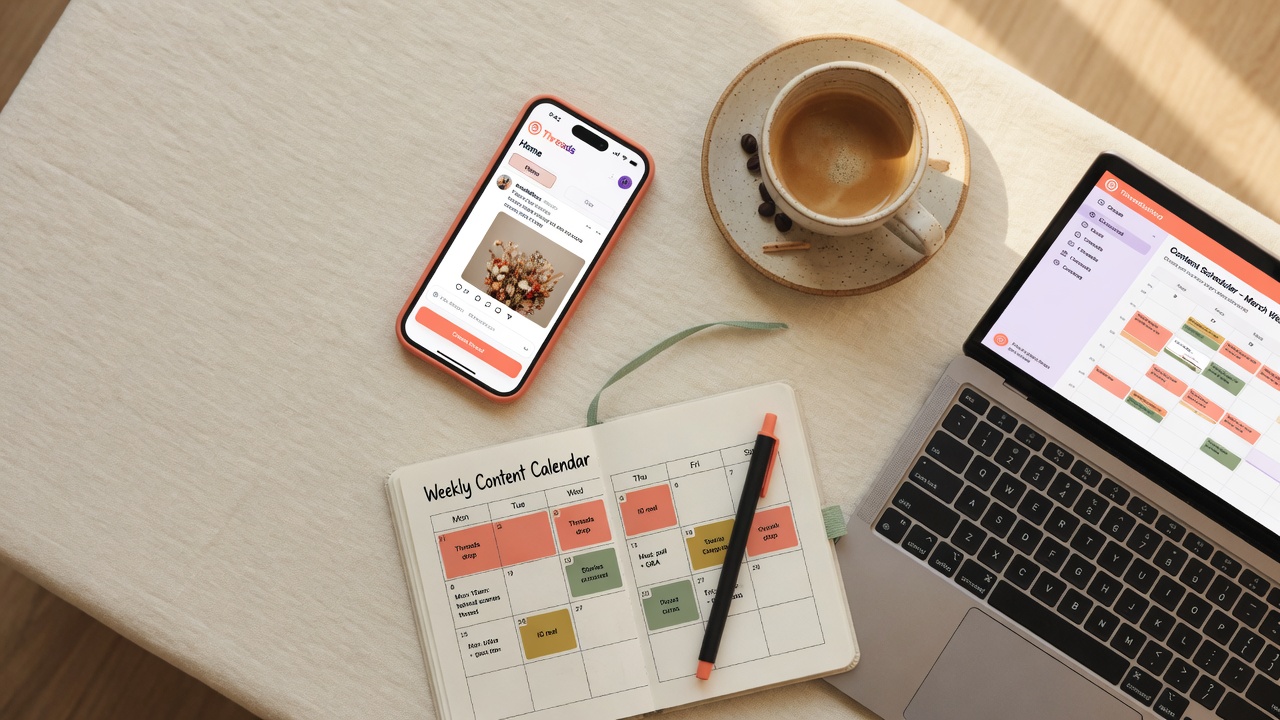
Smartphone with Threads app on a desk next to a content calendar notebook and scheduling dashboard
Schedule your Threads posts in advance and take back your time.
What you will leave with
1

You will know exactly how to schedule Threads posts using the official API

2

You will have a comparison of the 6 best Threads schedulers in 2026

3

You will get a sample weekly content calendar you can use today

4

You will avoid the 5 mistakes that kill scheduled Threads content

Key takeaways
1

Threads has no native scheduling, so a third-party API tool is essential for consistent growth

2

Official Meta API tools are safe and reliable. Browser extensions and Chrome hacks are not worth the risk

3

Posting 3 to 5 times per day with a content calendar outperforms random, on-the-fly posting every time

4

The best free schedulers right now are Buffer, Metricool, and ShortSync, each with different strengths

5

JoltSage is purpose-built for Threads workflows including scheduling, reply management, and analytics

Why You Need a Threads Scheduler (Not Just Willpower)

Let's be honest. Willpower is a terrible strategy for social media growth. You might remember to post on Monday, but what about Thursday when you are swamped with actual work? I learned this the hard way. I tried posting daily on Threads for three weeks using nothing but willpower. During week one, I was on fire. By week two, I was forgetting to post until right before bed. By week three, I posted exactly twice in seven days. My engagement tanked. My follower growth flatlined.

Here is the reality of the platform. Accounts posting five or more times per week grow two to three times faster than sporadic posters. The algorithm rewards consistency. Your audience rewards consistency. But your busy schedule makes consistency nearly impossible without a system.

A scheduler does more than just pick a time. It acts as your content safety net. You can batch-create your posts when you are feeling creative, rather than forcing ideas when you are exhausted. It takes the daily pressure off your plate and gives you back hours every week.

How Threads Scheduling Works (Official API vs Workarounds)

If you used Threads in 2023, you probably remember the dark ages. The app had no native scheduling feature. People were forced to use weird workarounds. Meta changed the game. They opened the Threads API to third-party developers starting in 2024. By 2025, the API became incredibly stable. Now, we have proper scheduling tools that work directly with the platform.

You need to understand the two main approaches. There are official API tools, and then there are browser hacks. Official API tools connect securely to your account. They post exactly when you tell them to, without requiring your phone to be unlocked. Browser extensions and Chrome hacks are completely different. These tools literally take over your browser. They simulate mouse clicks and keyboard strokes to type out your posts.

A friend of mine tried using one of those Chrome extensions. It worked for about a month. Then Threads pushed a routine app update. The extension broke overnight. She did not realize it, but she lost two entire weeks of queued posts. Her content calendar went completely blank. Don't risk your audience growth on shaky software. Stick to API-connected tools that actually integrate with the platform.

Visual workflow showing the process from content creation to calendar scheduling to Threads publishing
The three-step scheduling workflow: create, schedule, publish.

The 6 Best Threads Schedulers in 2026 (Compared)

Not all schedulers are created equal. Some are built for massive agencies, while others are perfect for solo creators. Let's break down the best Threads schedulers you can use right now. Buffer is the classic choice for beginners. It is incredibly simple to use. They offer a free tier that includes three channels and ten scheduled posts per channel. Great starting point, but Threads features are basic. Metricool is the data nerd's dream tool. Deep analytics, a free plan with fifty posts per month, and CSV bulk upload so you can write a hundred posts in a spreadsheet and upload them all at once.

JoltSage is built specifically for Threads. It is not a recycled Instagram tool. The entire platform is designed around how Threads creators actually work, with an intuitive content calendar, specialized reply workflows, and AI hooks that generate engaging openers. You can try the free Threads post creator to see how their AI works before committing. Planable is all about visual planning and team collaboration, perfect if you work with a social media manager or run a small agency. Hootsuite is the enterprise giant that connects to every platform but is total overkill for solo creators. ShortSync is a budget-friendly option with a solid free tier and direct API connection.

When comparing these options, look at the free tier, API reliability, and Threads-specific features. JoltSage remains the only one built entirely around Threads workflows from the ground up, making it the strongest choice for creators who focus primarily on this platform.

Common mistakes
1

Scheduling too many posts per day and burning out your audience with content overload

2

Using browser automation extensions instead of the official Threads API for scheduling

3

Never checking analytics to see what posting times and content types actually work for your audience

4

Scheduling only promotional or generic content with no value-first posts that feel native to Threads

5

Treating scheduling as set-and-forget and not replying to comments on your scheduled posts

Comparison framework of six top Threads scheduling tools showing different features and use cases
Not all schedulers are equal. Here is how the top six compare.

Step-by-Step: How to Schedule Your First Threads Post

Let's walk through scheduling a post using JoltSage. The process is similar across most API tools, but JoltSage offers the smoothest experience for Threads specifically. First, connect your Threads account. Log into JoltSage, click Add Channel, and select Threads. The app will redirect you to Meta for a secure authorization. Click allow, and your account is linked. Next, navigate to the content composer and write your post just like you would in the Threads app. Add your text, include a photo, or attach a video.

Now, look for the calendar icon. Set your desired date and time. If you are not sure when to post, mornings between 8am and 10am, lunch hours from 12pm to 1pm, and evenings from 7pm to 9pm tend to perform best. Finally, hit the schedule button. Your post is now safely queued and will publish automatically.

The first time I did this, I scheduled an entire week of Threads posts in just twenty minutes. It honestly felt like I was cheating the system. I got more engagement that week than I had in the entire previous month, all because I was consistently showing up at peak hours. A few quick tips: mix up your content types, do not just schedule text posts. Add images and videos to keep your feed dynamic. Do not schedule too far ahead, or you risk sounding out of touch. Leave a little room for spontaneous, real-time posts.

Weekly Threads content calendar template with color-coded post types for each day of the week
A sample weekly calendar to plan your Threads content in one session.

Building a Threads Content Calendar That Actually Works

Posting randomly is a fast track to burnout. You need a content calendar. A calendar gives your Threads presence a cohesive strategy instead of a scattered mess. I recommend planning a full week of Threads content in one sitting. Sit down with a coffee, open your scheduler, and knock it all out at once.

Here is a proven framework you can use. Aim for seven core posts per week. Include three educational posts that teach something useful, two engagement questions that spark conversation, one personal story that builds connection, and one post repurposed from your other platforms. For example, Monday could be an actionable tip to kick off the week. Tuesday is a polarizing question. Wednesday is a quick tutorial. Thursday is a behind-the-scenes story. Friday is a fun debate. Saturday features a repurposed highlight from your latest blog or video. Sunday is a reflective thought or motivational send-off.

I started doing this every Sunday night. I spent just thirty minutes planning the week. My engagement went up forty percent in three weeks. The growth happened because I was not posting random, unfiltered thoughts anymore. I was posting structured value. JoltSage makes this visual process incredibly easy with a calendar view that lets you see your whole week at a glance and drag and drop posts to rearrange them.

Common Mistakes That Kill Your Scheduled Threads Posts

Scheduling your content is a superpower, but it is easy to misuse. The biggest mistake is scheduling too many posts. Quality will always beat quantity. Posting three to five times a day is a strong maximum. I once worked with a creator who thought more was better. He scheduled ten posts a day. His followers did not appreciate the value. They got annoyed. Within a week, his followers started muting him. His impressions plummeted.

Another error is using the exact same time every single day. Mix it up. Different followers are online at different times. A major trap is treating scheduling as a set-it-and-forget-it tool. You still need to engage with replies. If someone comments on your scheduled post, you need to be there to reply. Scheduling handles the broadcasting, but you still have to do the socializing.

Ignoring your analytics is also a huge mistake. You might think 9am is your best time, but your data might show that 4pm actually gets more impressions. Finally, do not schedule generic content. Threads has a specific, conversational culture. If you schedule stiff, corporate-sounding posts, people will just scroll past you.

How to Know If Your Scheduling Strategy Is Working

You have got your calendar set up. Your posts are going out consistently. Now you need to check if your strategy is actually working. You cannot just look at follower count. You need to track the metrics that matter. Keep a close eye on your impressions, replies, reposts, and profile visits. These numbers tell you if your content is actually resonating with people.

Understanding Threads analytics basics is essential. Look at which specific posts got the most saves. Notice which questions drove the most replies. You should A/B test different posting times. Post at 9am on Monday, and then post a similar style of content at 3pm on Tuesday. See which one performs better. Make it a habit to check your analytics weekly. Adjust your overall strategy monthly. Give yourself enough time to gather real data before making big changes.

This is another area where JoltSage shines. The platform tracks your Threads analytics automatically. You do not have to dig through confusing menus to see what is working. The data is presented clearly so you can adjust your calendar on the fly. Growing on Threads does not have to be a daily struggle. If you learn how to schedule Threads posts, you take back your time while growing your audience faster. Build a weekly content calendar, engage with every reply, and let your analytics guide your next move. Let JoltSage handle the daily posting schedule so you can focus entirely on creating great content.

Side by side comparison of manual Threads posting chaos versus calm scheduled content workflow
Manual posting creates chaos. Scheduling brings consistency.

Action checklist

Use this as the practical next pass after reading the guide.

  1. +
    Pick a Threads scheduler that uses the official Meta API and connect your account
  2. +
    Schedule your first 5 posts using different times of day to test what works
  3. +
    Build a weekly content calendar with a mix of educational, engagement, and personal posts
  4. +
    Test 3 different posting times this week and track impressions and replies for each
  5. +
    Set a daily 10-minute reply session to engage with comments on your scheduled posts
  6. +
    Review your analytics weekly and adjust your schedule based on real data
Threads analytics dashboard showing upward trending impressions, replies, and follower growth over four weeks
Track impressions, replies, and profile visits to know if your scheduling strategy works.
FAQ

Frequently asked questions

Can you schedule posts on Threads natively?

No, Threads has no built-in scheduling feature inside the official app. You need a third-party tool connected to the official Meta API to schedule your content in advance.

What is the best free Threads scheduler?

Buffer offers a reliable free plan with ten scheduled posts per channel. Metricool and ShortSync also have capable free tiers. JoltSage offers a free trial so you can test out its Threads-specific features before committing.

Is it safe to use third-party tools for Threads scheduling?

Yes, it is very safe if you use tools that connect through the official Meta Threads API. You should completely avoid browser extensions that try to automate clicks, as they can compromise your account.

How many Threads posts should I schedule per day?

Posting three to five times per day is a strong, effective range for most creators. Remember that content quality matters far more than sheer volume.

What is the best time to schedule Threads posts?

Mornings between 8am and 10am, lunch hours from 12pm to 1pm, and evenings from 7pm to 9pm tend to perform best overall. You should always test these times against your own analytics to see what works for your specific audience.

Can I schedule Threads posts with images and videos?

Yes, absolutely. Most modern API-connected schedulers fully support images, carousels, and video uploads alongside your text posts.

How far in advance should I schedule Threads posts?

Scheduling exactly one week ahead is the ideal timeframe. If you schedule too far out, you risk losing touch with current trending topics and sounding out of date.

Does scheduling Threads posts hurt engagement?

No, scheduled posts perform very similarly to manual posts. The algorithm does not punish you for scheduling. Just make sure you still log in to engage with replies and comments on your published content.

Wrap-up

Conclusion

Growing on Threads does not have to be a daily struggle. When you learn how to schedule Threads posts with the right tool, you take back your time while your audience grows on autopilot.

Build a weekly content calendar, engage with every reply, and let your analytics guide your next move. The creators who win on Threads are not the ones who post the most. They are the ones who post the most consistently.

Let JoltSage handle your daily posting schedule so you can focus entirely on creating great content and building real connections with your audience.

Keep reading

More guides in the library

Stay close to the same outcome, but from a different angle.

Best Time to Post on Threads in 2026: Data From 2.5 Million Posts

Best Time to Post on Threads in 2026: Data From 2.5 Million Posts

We analyzed engagement patterns across 2.5 million Threads posts to find the exact times your content gets the most reach, replies, and reposts in 2026.

How to Sell Digital Products Without an Audience in 2026 (Free Traffic Methods That Actually Work)

How to Sell Digital Products Without an Audience in 2026 (Free Traffic Methods That Actually Work)

You do not need a following to make money with digital products. This guide shows you the exact free traffic methods that work in 2026, from marketplace SEO to Threads content marketing, with real revenue examples from creators who started at zero.