What this guide is really about
Most user-generated content advice assumes you sell a physical product, run paid ads, and have a photo or video pipeline. If you are a solo creator, a coach, a small B2B brand, or a services business, that advice breaks down fast. You do not have a shoe for people to photograph.
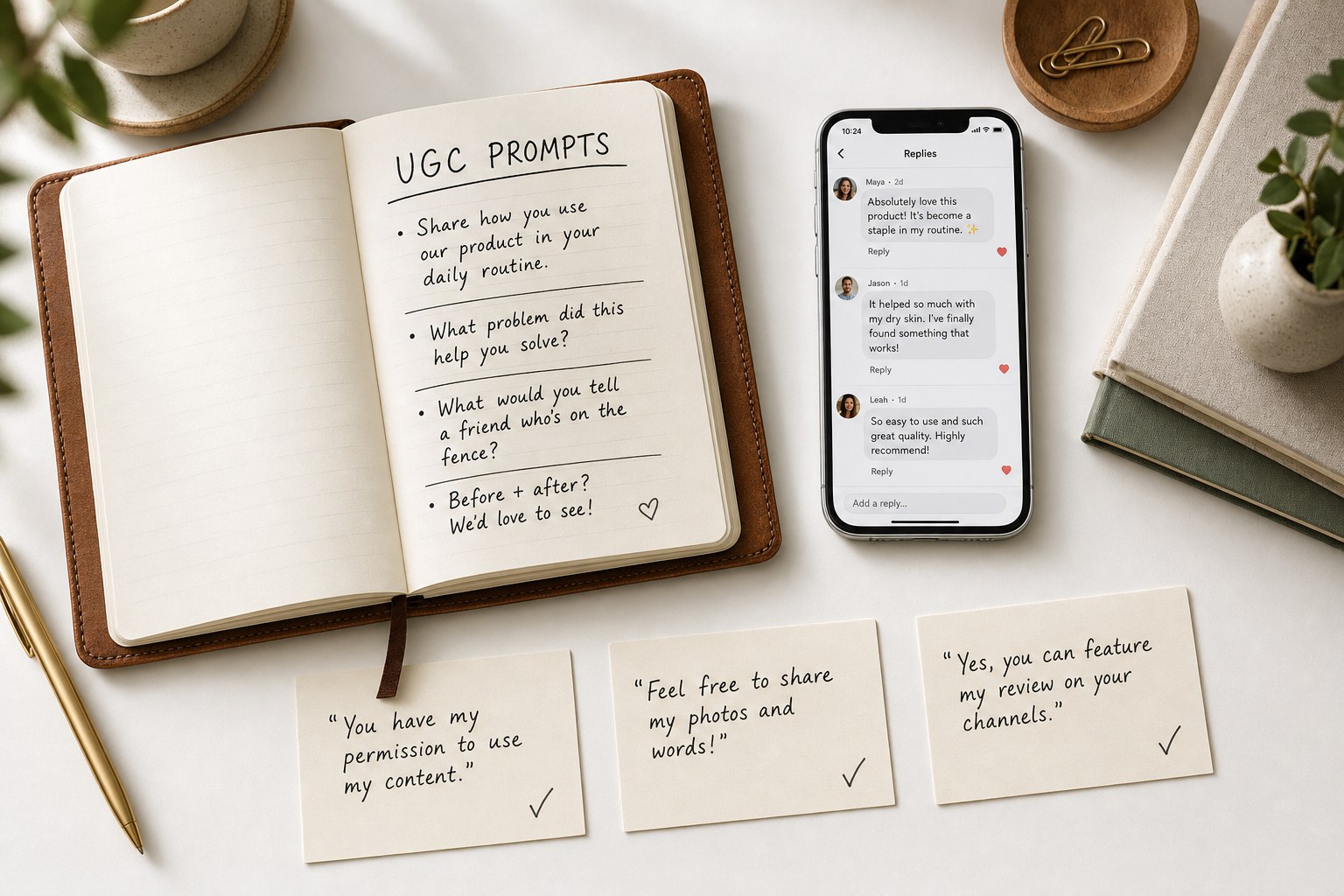
User-generated content strategy for creators and small brands is about building a permission-based system that turns audience voices into sustainable content. That means text replies, screenshots of kind words, testimonial quotes, community threads, and customer questions you can answer in public. It also means handling rights and disclosure the right way before you hit publish.
This playbook walks through how to invite, collect, organize, and publish UGC without sounding transactional or stepping on FTC and Meta branded-content rules. It is built for short-form, text-first social platforms, with a Threads-specific application throughout.
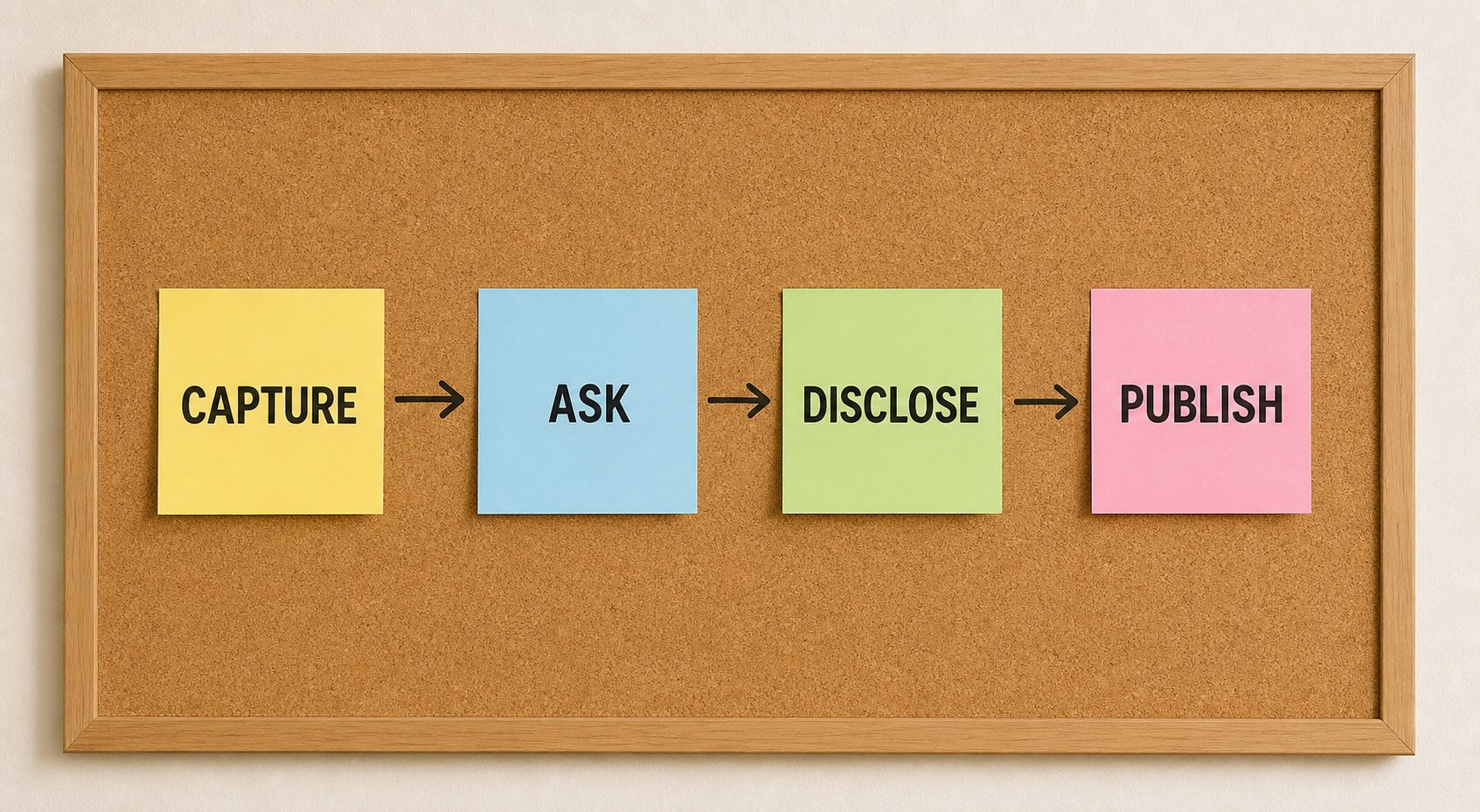
A strong user-generated content strategy for creators and small brands has four parts: invite audience contributions through a specific, low-friction ask; get written permission before republishing anything; disclose any material relationship clearly using FTC and Meta rules; and organize approved content into a repeatable content engine. Text-first UGC (replies, quotes, screenshots, community Q&A) works on platfo...
A four-part UGC system you can run without a video team
Copyable invitation scripts and rights-request templates
Clear FTC and Meta disclosure rules, not guesses
Platform tactics for Threads, Instagram, LinkedIn, and TikTok
UGC is not only photos and videos; text replies, quotes, screenshots, and community threads count and work on text-first platforms.
Always get written permission before republishing someone else's content, even a short reply.
FTC requires clear and conspicuous disclosure of any material relationship; Meta requires the branded content tag when value was exchanged.
A simple organized backlog of approved UGC feeds a content engine across weeks, not one-off posts.
Measure contribution rate, permission coverage, and reuse rather than chasing follower count.
What User-Generated Content Looks Like When You Are Not a Retail Brand
User-generated content is anything your audience, customer, or community creates about you that you can amplify with permission. For creators and small brands, that opens up far more than photos of a product. A reply that explains how your newsletter helped someone is UGC. A screenshot of a coaching win shared in a group chat is UGC. A customer question on Threads that you turn into a public answer is UGC. A pull quote from a podcast you guested on is UGC.
Text-first platforms reward this kind of content. A screenshot of a kind DM, reshared with permission, often reads as more credible than a polished testimonial graphic. A reply thread where your community weighs in on a real question gives you both content and social proof. The point is that UGC for creators is usually made of words, not merchandise.
Start by auditing what your audience already produces. Look at replies to your posts, DMs you have permission to reference, comments in your newsletter, community threads, podcast mentions, and any place your work shows up. Most creators have more UGC sitting in their inbox than they realize. The strategy is less about manufacturing new content and more about building a system to notice, ask, and amplify what already exists. A content pillars system helps here, because UGC feeds naturally into one of your existing pillars rather than operating as a separate machine.
The Invitation Framework: How to Ask Without Being Spammy
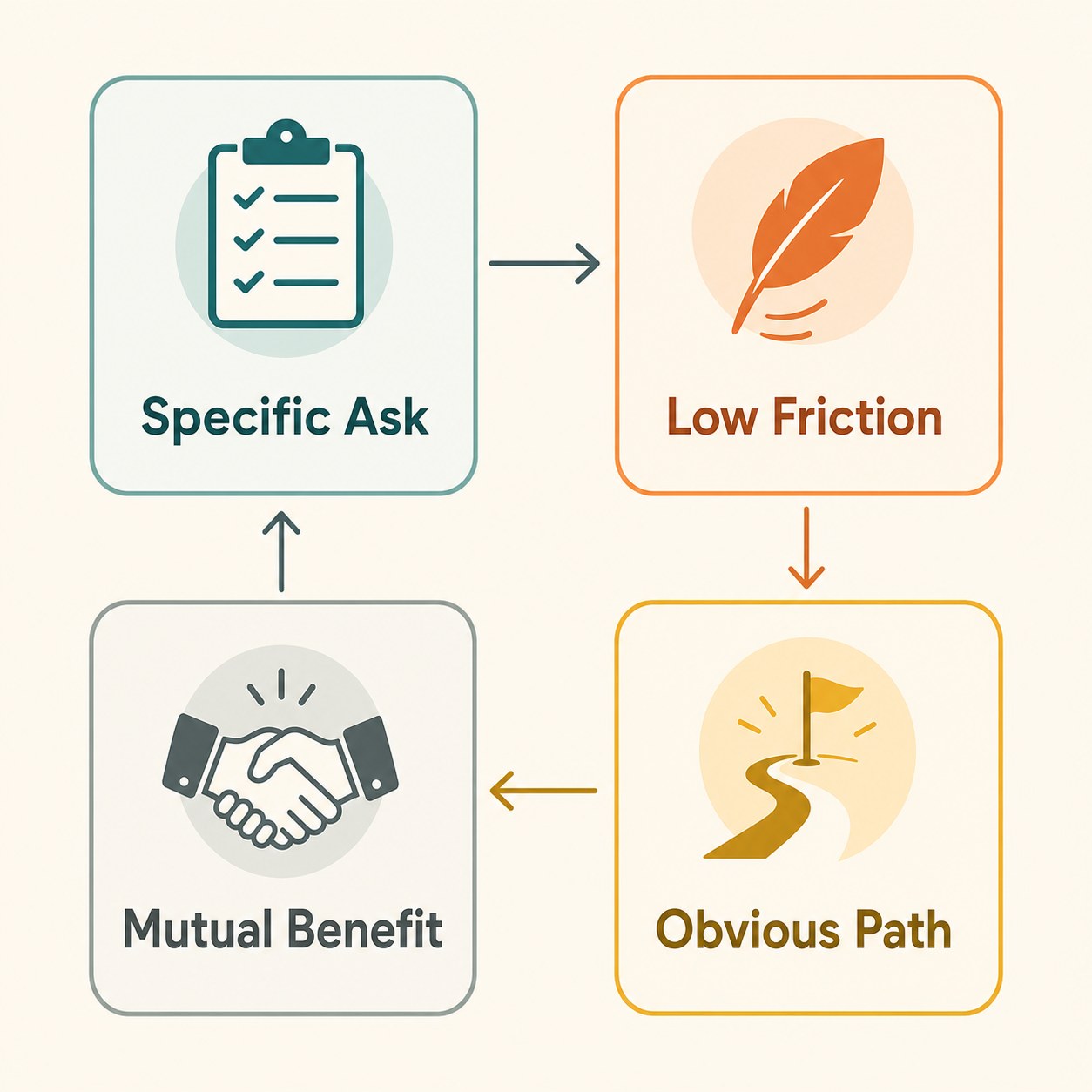
Weak UGC asks are vague. "Share your story with us" invites nothing. A strong invitation is specific, low-friction, and gives the contributor a reason to participate that is not just helping you. The framework is simple: name what you want, explain why it matters, lower the effort, and make the path obvious.
A good invitation names the exact contribution. Instead of "tell us what you think," try "reply with one sentence on what you changed after reading last week's thread." Instead of "share your experience," try "screenshot the line that hit hardest and quote-reply with your takeaway." Specific asks convert better and produce usable content.
Lower the effort by meeting people where they are. Do not send a 12-question form when a single reply works. Do not ask for a 200-word testimonial when a one-line quote is enough. And always give contributors a reason beyond your benefit: their reply might help someone in the same situation, their quote gets them visibility, their question becomes a public answer that reaches more people. The best UGC asks are mutual.
Keep an invitation cadence rather than one-off campaigns. A weekly pinned prompt in Threads, a monthly question in your newsletter, or a quarterly community thread that collects wins all build a steady contribution pipeline. sporadic asks feel extractive; recurring prompts feel like a community ritual. If you already maintain a bank of Threads post ideas, UGC prompts slot naturally into one of your existing formats rather than operating as a separate machine.
Rights and Permissions: A Simple Workflow With Copyable Templates
Before you repost, quote, screenshot, or remix anything a customer or community member created, get permission. Even a short reply on a public thread has an author who controls how their words are reused. Building a permission habit protects you legally, treats contributors with respect, and often improves the content because people add context when you ask.
A practical workflow has three steps. First, capture the original post with a screenshot or link. Second, send a short permission request that says what you want to use and where. Third, store the written yes in a simple tracker so you can prove consent later if asked. The tracker can be a spreadsheet, a Notion page, or a folder of screenshots. What matters is that permission is recorded.
Use copyable scripts. For a quote from a public reply: "Thanks for sharing this. Would it be okay if I featured your reply (attributed to @handle) in an upcoming Threads post about how people use the newsletter? Happy to send you the post first if you want to check it." For a screenshot of a DM: "This made my week. Can I share this screenshot on social, with your name visible or blurred, your call?" For a customer story: "We would love to feature how you used the template. Here is a short two-question reply if you are open to it."
Make the yes easy. Give contributors a one-word out ("Reply 'go' and I will share it") and a way to say no without awkwardness. Most people say yes when asked directly, but the ones who say no matter just as much. A clean permission record also makes it easier to reuse content across formats and platforms later without re-asking every time.
Reposting a customer's reply or screenshot without written permission, even from a public thread.
Publishing paid creator content without the FTC and Meta branded content disclosure because it felt small.
Running vague UGC campaigns ('share your story!') instead of specific, low-friction asks.
Treating UGC as a one-off stunt rather than a recurring content type inside your calendar.
Measuring only engagement and followers instead of contribution rate, permission coverage, and reuse.
FTC and Meta Disclosure Rules You Actually Need to Follow
If you publish user-generated content and there is any material relationship between you and the contributor, disclosure is required. That includes paid creator partnerships, free product or service exchanges, affiliate relationships, and any deal where the contributor received something of value in exchange for posting. The FTC revised its Endorsement Guides in 2023 to make this explicit for social media, and the rules apply to you whether you are a brand or a creator.
The FTC standard is clear and conspicuous disclosure. That means the disclosure is hard to miss, placed where a viewer naturally looks, and in plain language. A single #ad at the start of a caption works; a wall of hashtags at the end does not. The FTC publishes plain-language guidance for social media influencers that explains what counts as a material connection and how to disclose it. When in doubt, disclose.
On Meta platforms, the branded content tag is the official mechanism. Meta defines branded content as a creator or publisher's content that features or is influenced by a business partner for an exchange of value, and requires the branded content tool to be used when promoting such integrations. If a creator posted about your product because you sent it for free or paid them, the post needs the paid partnership label on Instagram and Threads. Meta's branded content policies cover what triggers the requirement and how to tag.
For organic UGC where no value was exchanged, a customer just posted about you on their own, the FTC and Meta disclosure rules generally do not trigger. But if you then reshare that post into a paid ad or boost it, you cross into paid territory and disclosure becomes required. The safe rule: any time money, product, or service changed hands, disclose clearly and use the platform's branded content tool where one exists.
Platform-by-Platform UGC Tactics
Each platform shapes what UGC works. On Threads, text-first content rules. Quote-replies are a native UGC format: you share a reply you got permission to use, add your own commentary, and the thread becomes a public testimonial. Pinning a weekly prompt invites new contributions and gives you a steady source of reply-based content to amplify. If you need help turning a customer quote into a clean Threads post, the free Threads Post Creator can draft one from your input.
On Instagram, screenshots and reshared Stories dominate UGC. Repost a customer's Story to yours with their handle visible and their permission on file. Use the Add Yours sticker on a Story to invite contributions on a theme. For carousel posts, pull quotes from replies and DMs (with permission) into a swipeable format. Instagram's branded content tools apply the same paid partnership label as Threads since both run on Meta infrastructure.
On LinkedIn, text posts and comment threads carry UGC weight. A thoughtful comment on your post from a client can become its own post when you screenshot and add context. LinkedIn's professional audience rewards specific outcomes, so quotes that name a concrete result ("this framework cut our planning time in half") outperform generic praise. Tag the contributor only with their consent.
On TikTok, video replies and duets are the native UGC formats. Reply to a comment with a video, stitch a creator's video, or duet a customer using your product. TikTok's branded content disclosure rules require the platform's paid partnership label for any compensated content, mirroring the FTC standard. For creators without video production capacity, TikTok's native text-on-video format works for quoting audience replies as short clips. If you already cross-post across platforms, apply the same adaptation discipline to UGC: do not paste the same post everywhere unchanged.
Organizing UGC Into a Content Engine and Measuring What Matters
One-off UGC reposts burn out fast. A content engine treats approved UGC as a recurring content type inside your existing workflow, not a separate channel. Capture UGC into a single inbox or folder as it arrives. Review weekly, request permission for anything worth using, and slot approved pieces into your content calendar alongside your own posts. If you run a content brief template for each post, UGC pieces need the same brief treatment: audience, goal, platform, and approval state.
Repurpose one approved piece across multiple posts. A strong reply can become a Threads quote-post, a screenshot on Instagram Stories, a LinkedIn text post with added context, and a pull quote in your newsletter. Each adaptation should respect platform norms rather than copying the exact same format. This is where a simple content calendar helps you see what is queued and avoid overusing the same contributor.
Measure inputs, not just outputs. Track contribution rate (how many people respond to your prompts), permission coverage (what percentage of usable UGC has written consent), and reuse rate (how many times each approved piece gets published). These three numbers tell you whether your UGC system is healthy. Follower count and vanity engagement do not. If contribution rate drops, your prompts need work. If permission coverage is low, your ask needs to be easier. If reuse is low, you are leaving value on the table.
Review monthly. Look at which prompt types produced the most usable content, which platforms drove the highest-quality contributions, and which pieces performed best when published. Feed those insights back into the next month's prompts and calendar. Over a quarter, a well-run UGC engine can supply a meaningful share of your publishing schedule without you writing every post from scratch.
Action checklist
Use this as the practical next pass after reading the guide.
- +Audit your inbox, DMs, replies, and community spaces for existing UGC you have not yet amplified.
- +Write three specific, low-friction prompt templates matched to your content pillars.
- +Create a simple permission tracker (spreadsheet or Notion page) with columns for contributor, content, platform, and consent.
- +Add FTC and Meta disclosure checks to your pre-publish workflow for any compensated content.
- +Schedule one UGC post per week for the next four weeks using only approved, permissioned content.
- +Review contribution rate, permission coverage, and reuse at the end of the month and adjust prompts.

Conclusion
A useful user-generated content strategy for creators and small brands does not require an ecommerce product line or a video production pipeline. It requires a system: notice what your audience already creates, ask permission before amplifying, disclose material relationships clearly, and organize approved content into a repeatable engine that feeds your calendar for weeks.
Start with one prompt this week. Audit your inbox for a single reply worth amplifying. Ask for permission. The system compounds once the first permissioned piece is live and your audience sees that contributing is welcomed and respected.