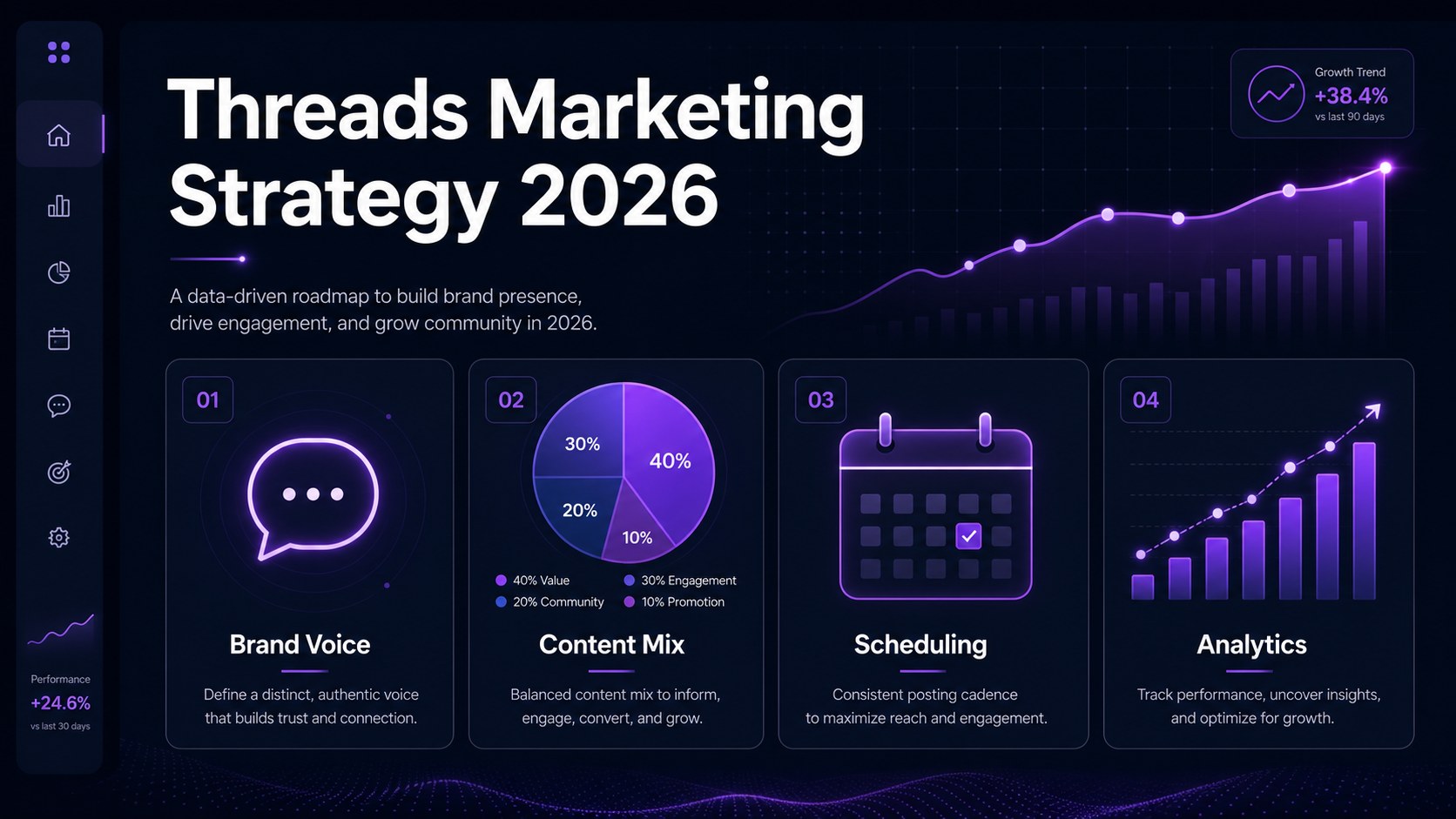
What this guide is really about
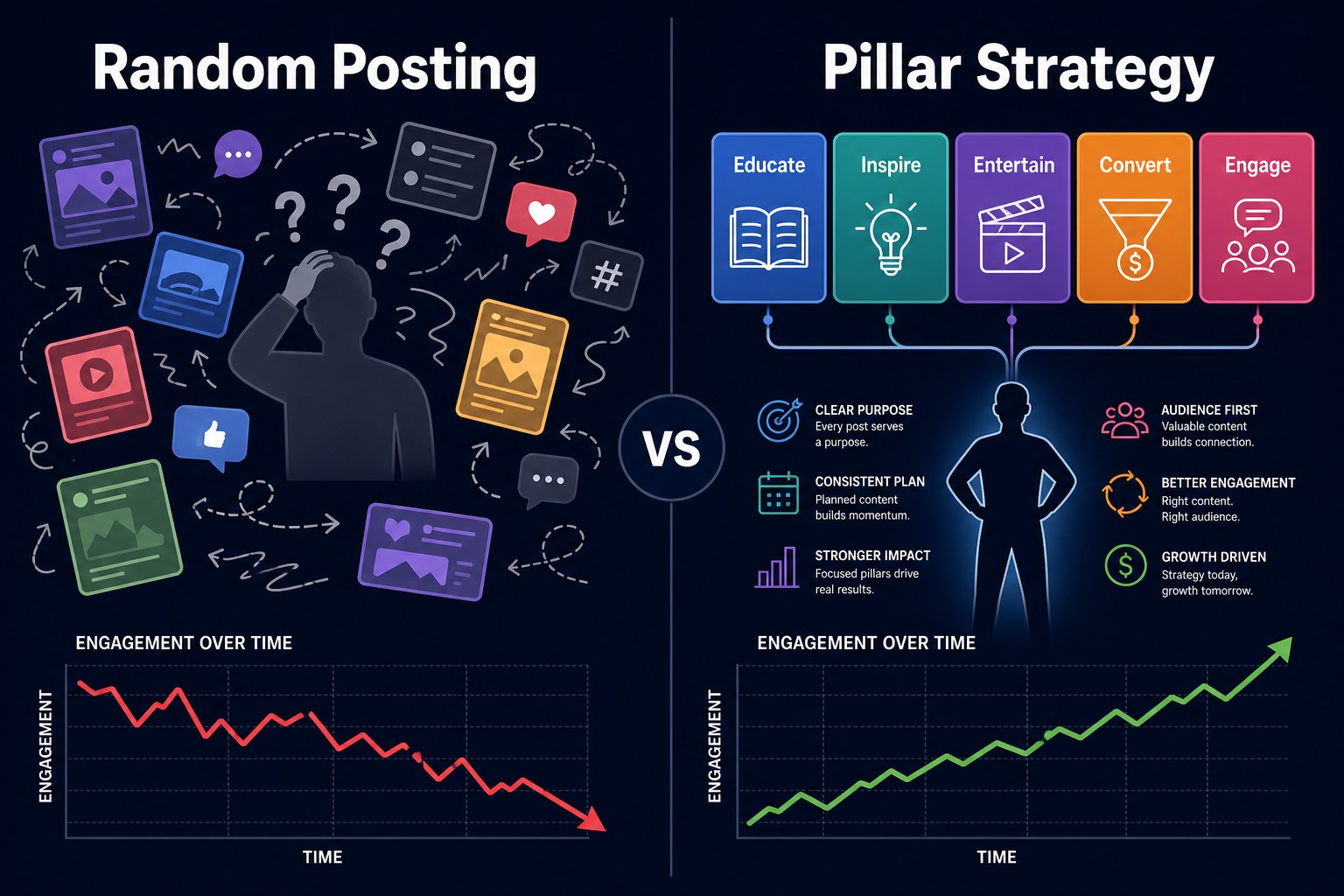
You open Threads to post something useful. Ten minutes later, you're still staring at the blank composer, trying to remember whether you've already shared that tip twice this month. Then you post a rushed thought about your coffee, disappear for three days, and wonder why your reach feels random. That's not a creativity problem. It's a content organization problem.
Threads content pillars give you topic buckets to rotate through, so you don't invent your posting strategy from scratch. You still get spontaneity, but your account feels like it belongs to one recognizable person. I started using this system after a bad week of random posting, and the difference was embarrassing.
In this guide, you'll build four or five pillars, match them to audience questions, and turn them into a weekly rotation. By the end, you'll have a Threads content framework you can use today, not another plan abandoned next Monday.
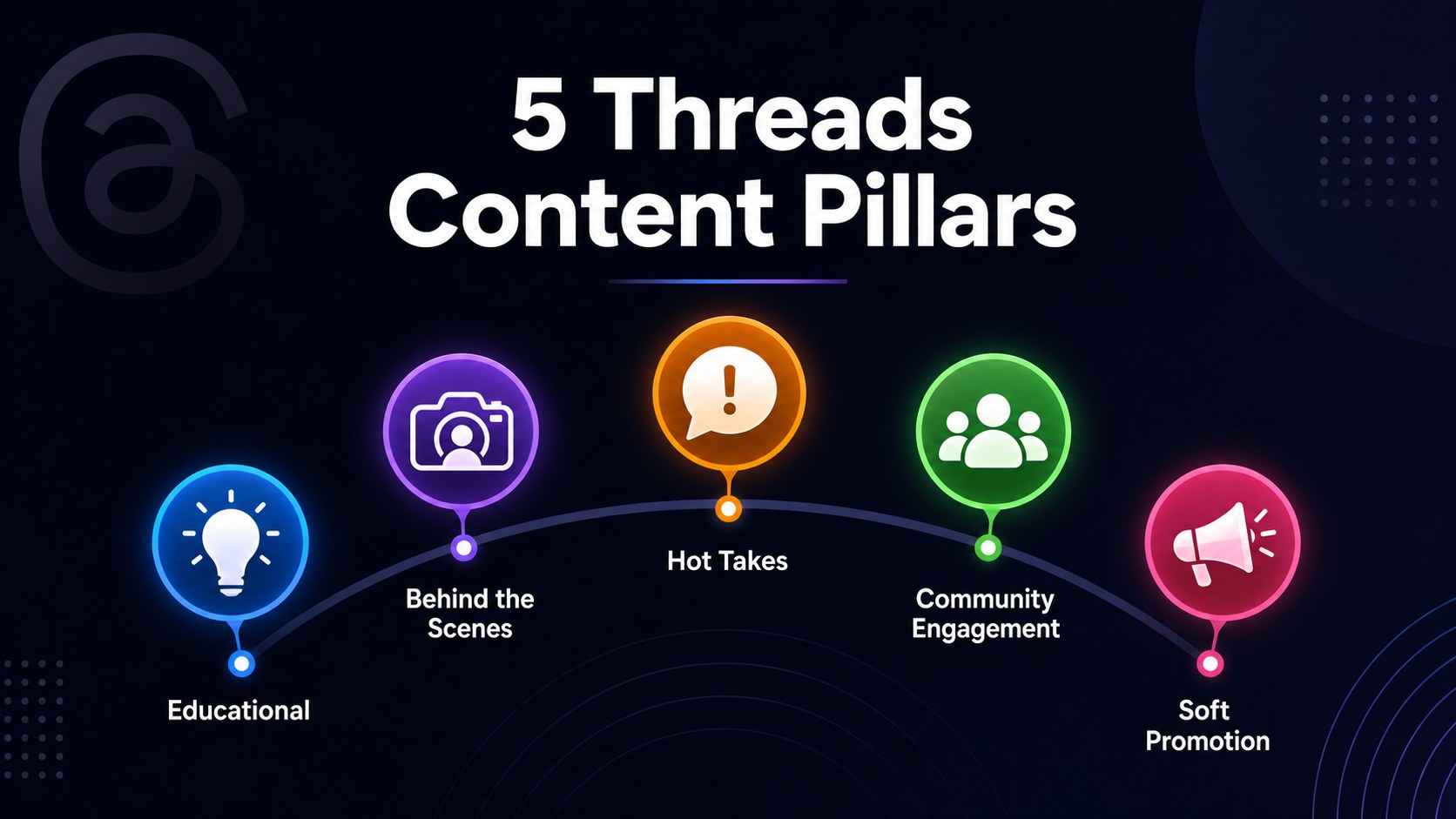
Threads content pillars are 4 to 5 repeatable topic buckets you rotate through, such as educational tips, personal stories, opinions, community questions, and soft promotion. They keep your posts focused while giving you enough variety to stay interesting and consistent.
Choose four or five pillars for your niche and personality.
Turn audience questions into a reliable idea bank.
Rotate pillars weekly without sounding robotic.
Audit results monthly and repeat what earns conversation.
Content pillars are flexible topic buckets, not scripts.
Four or five pillars balance focus and variety.
Strong Threads categories invite replies, not just views.
A weekly rotation can cut planning time dramatically.
Use analytics to adjust your pillar mix.
What Are Threads Content Pillars and Why They Save Your Sanity
Think of a content pillar as a topic bucket you can visit again and again. If you're a freelance designer, your buckets might be design tips, client stories, unpopular opinions, and lessons from running a studio. If you're a baker, they could be recipes, kitchen mistakes, customer moments, and behind the scenes prep. Threads content pillars give every post a home before you write it.
When I first started on Threads, I posted whatever crossed my mind. Some days it was a marketing tip, other days it was a random thought about coffee, and once it was a mini rant about a broken printer. My engagement was all over the place. People couldn't tell what they should follow me for, and honestly, neither could I. Then I tried content pillars and everything changed. I wasn't suddenly more creative. I just stopped asking myself to start from zero every morning.
A Threads content strategy is the bigger plan for how your account grows, including your audience, voice, goals, and posting frequency. Pillars are one part of it. They are the repeatable themes that make the strategy usable on a busy Tuesday when your brain feels like an unplugged router. Read our guide on <a href="/blog/how-to-build-a-threads-content-strategy-in-2026-a-5-pillar-framework-that-actually-works">building a Threads content strategy</a> for the full picture.
How Many Content Pillars You Actually Need on Threads
Most creators overcomplicate this. Four to five content pillars for Threads is usually the sweet spot. That gives you enough room to teach, connect, debate, involve your community, and mention your offer without turning your profile into a collection of unrelated channels. You don't need a dozen threads content themes. You need a small menu you can remember without checking a spreadsheet.
I tried eight pillars once. Total disaster. I couldn't remember what each one was for, so I spent more time labeling ideas than writing them. I cut the list to four, and my output doubled because decisions got easier. Too many pillars scatter you. Too few can make your feed repetitive.
Treat your first set as a two week test, not a permanent identity. Write three posts for each pillar, then watch which topics feel easy to create and which ones attract replies, saves, or profile visits. Don't judge a pillar from one post. A quiet post might have a weak hook, poor timing, or a topic your audience needs explained better. After two weeks, keep the pillars that feel useful and alive, combine the ones that overlap, and replace anything you dread writing.
5 Content Pillars That Work on Threads in 2026
Start with educational value. Teach one specific thing your audience can use today. A copywriter might post, "If your landing page headline could fit any business, add the customer, problem, and result. 'Email marketing for coaches' beats 'Grow your business.'" It works because readers get a clear takeaway and a reason to save or reply.
Your second pillar is behind the scenes and personal stories. I once posted about spending 40 minutes rewriting a two sentence client email, then realizing the original was better. It got more replies than a polished tip because other freelancers recognized themselves in it. Specific details build connection.
Third comes hot takes and opinions. Try: "Posting every day won't fix a boring point of view. I'd rather publish three useful thoughts than seven updates nobody remembers." You're giving people something to agree with or challenge. My best opinion posts leave room for someone else to finish the thought.
Fourth is community engagement. Ask a simple question or invite people to share an experience. "What's one tool you stopped paying for this year, and what replaced it?" beats "Any recommendations?" Fifth is soft promotion. Share a client win or show your product in use: "A client had 12 disconnected ideas. We grouped them into four buckets, and her next month took one hour instead of four." These pillars fit Threads well. Tips earn saves, stories create recognition, opinions spark debate, questions invite participation, and promotion gives interested readers a next step. Find more formats in <a href="/blog/threads-post-ideas-that-actually-get-replies-in-2026-50-formats-that-work">Threads post ideas that get replies</a>.
Choosing topics you don't actually enjoy discussing.
Adding too many pillars until your account feels scattered.
Treating your rotation like a rigid rulebook.
Copying another creator's pillars instead of using audience evidence.
Broadcasting finished thoughts without inviting conversation.
How to Choose Pillars for Your Specific Niche
Don't choose pillars because a creator you admire uses them. Start with your audience's top five questions. Search DMs, replies, comments, customer calls, and old emails for repeated wording. If three people ask how to price a service, that's a pillar clue. Your best topic buckets are hiding in conversations you've already had.
Map each question to a pillar type. A how question fits education. A fear or frustration can become a story or opinion. A request for help can become a community prompt. A fitness coach I know built her Threads presence on workout tips, client transformations, nutrition myths, and gym fails. Every post fit one bucket, and she grew to 12K followers in four months.
Use this template: "My audience cares about [X], so my pillars are [A, B, C, D]." For a bookkeeping consultant, that might mean cash flow lessons, small business mistakes, client stories, and tax reminders. If a pillar doesn't connect to a real concern or something you know from experience, cut it.
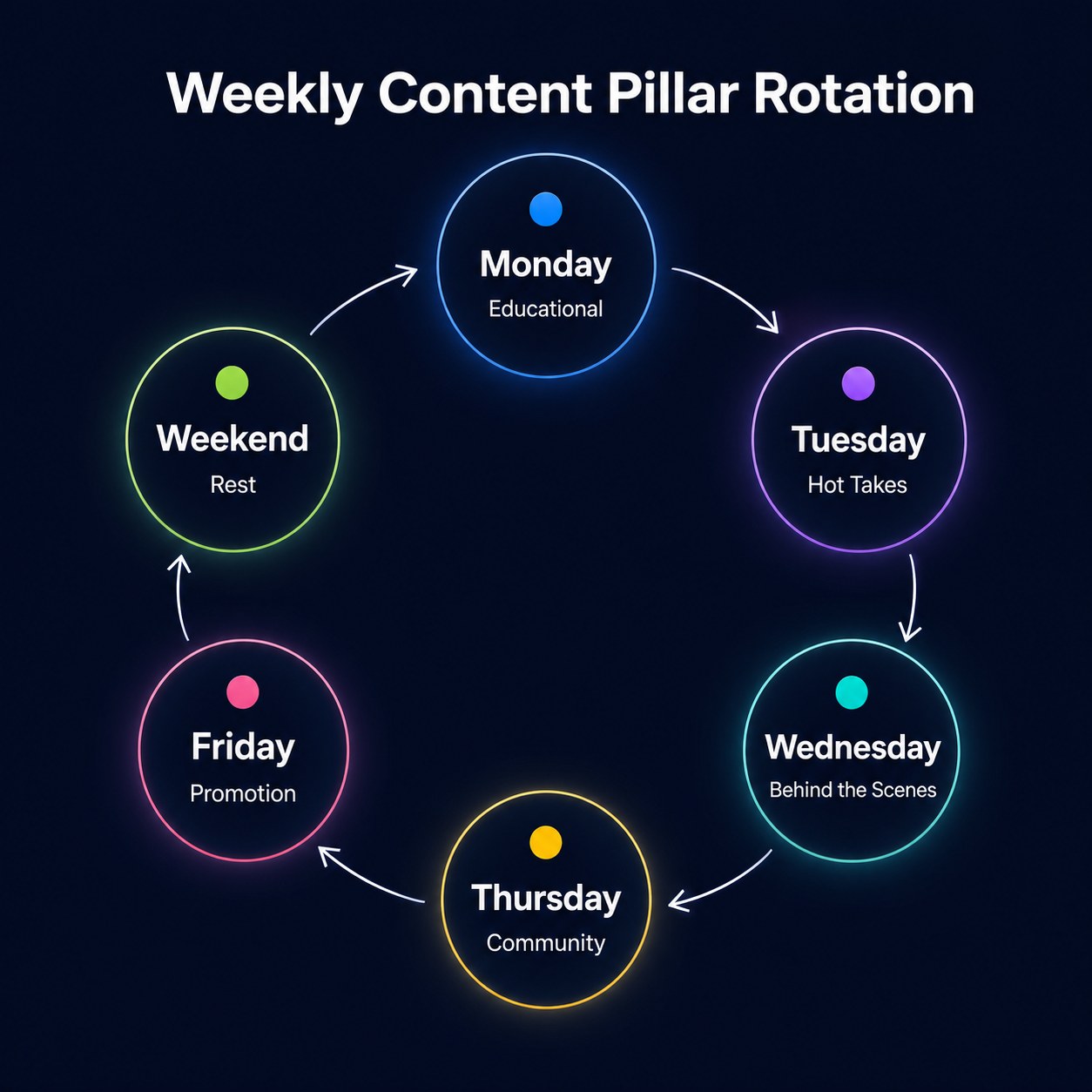
The Weekly Rotation: How to Schedule Your Pillars Without Overthinking
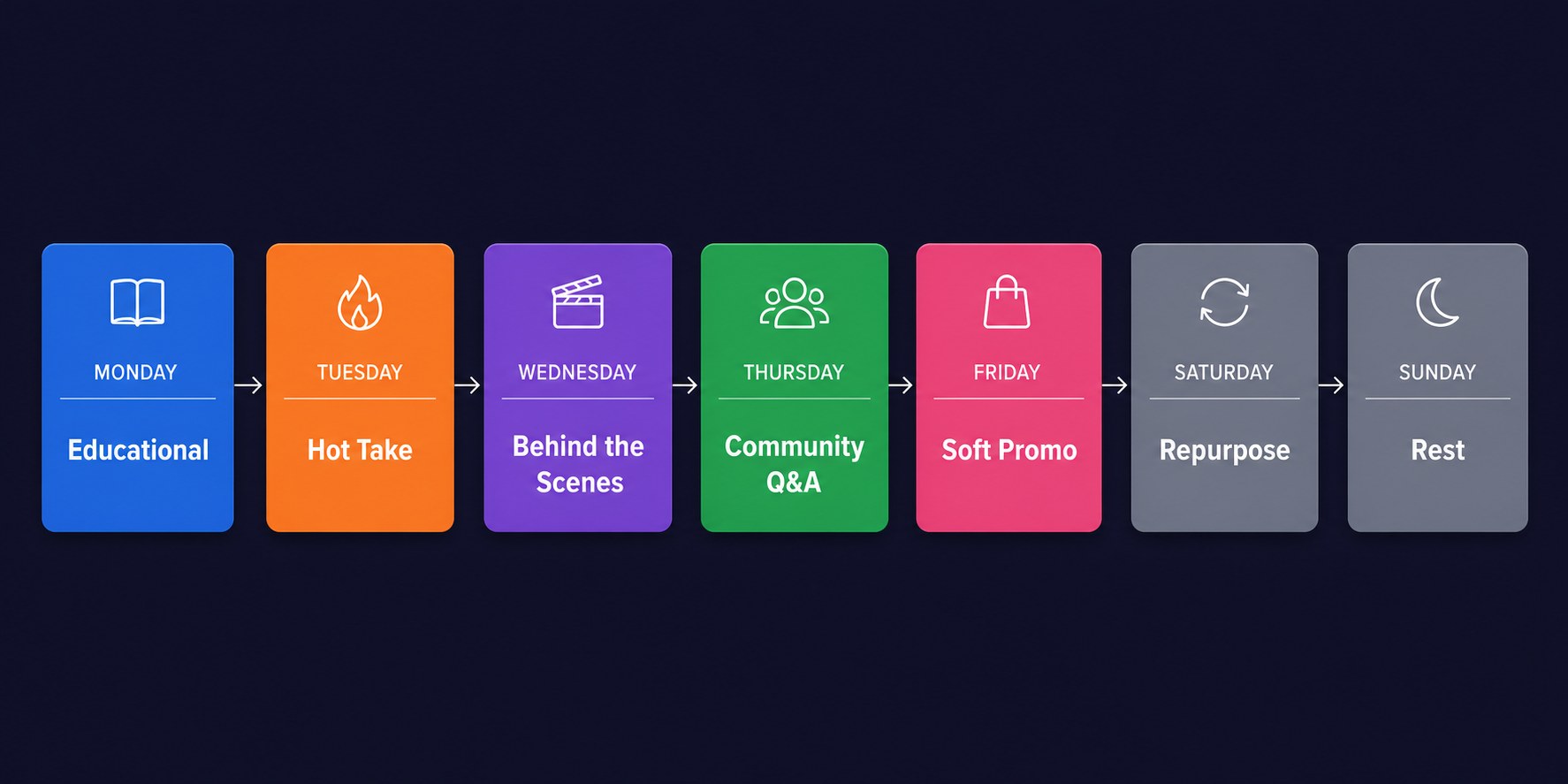
A rotation turns threads content planning into a weekly habit. Monday is educational, Tuesday a hot take, Wednesday behind the scenes, Thursday a community question, and Friday soft promotion. On weekends, repurpose a strong idea, answer replies, or rest. A default plan removes the daily blank page.
I used to spend 45 minutes every morning staring at Threads and wondering what to post. Now I check my rotation, choose one idea from that bucket, write the post in 10 minutes, and move on. The funny part is that the posts feel more spontaneous because I'm not forcing a grand strategy into every sentence. The structure happens before I open the app, then the actual writing can stay loose.
To batch all five pillars in 90 minutes, spend 10 minutes reviewing replies, 15 listing three ideas per pillar, 45 drafting weekday posts, and 20 editing hooks and questions. Read our guide to <a href="/blog/how-to-batch-threads-content-for-a-full-week-in-90-minutes-2026-workflow">batching a full week of Threads content</a>. A scheduling tool like JoltSage can save you here. Set up your rotation once, schedule the week, and stop wondering what to post.
Don't treat a rotation like a rule that punishes you. If a timely story matters, post it. If you have nothing useful to promote, share another lesson. Your schedule is a starting point. For frequency guidance, see <a href="/blog/how-often-should-you-post-on-threads-in-2026-the-data-backed-answer">how often to post on Threads</a>.
How to Audit and Adjust Your Pillars Every 30 Days
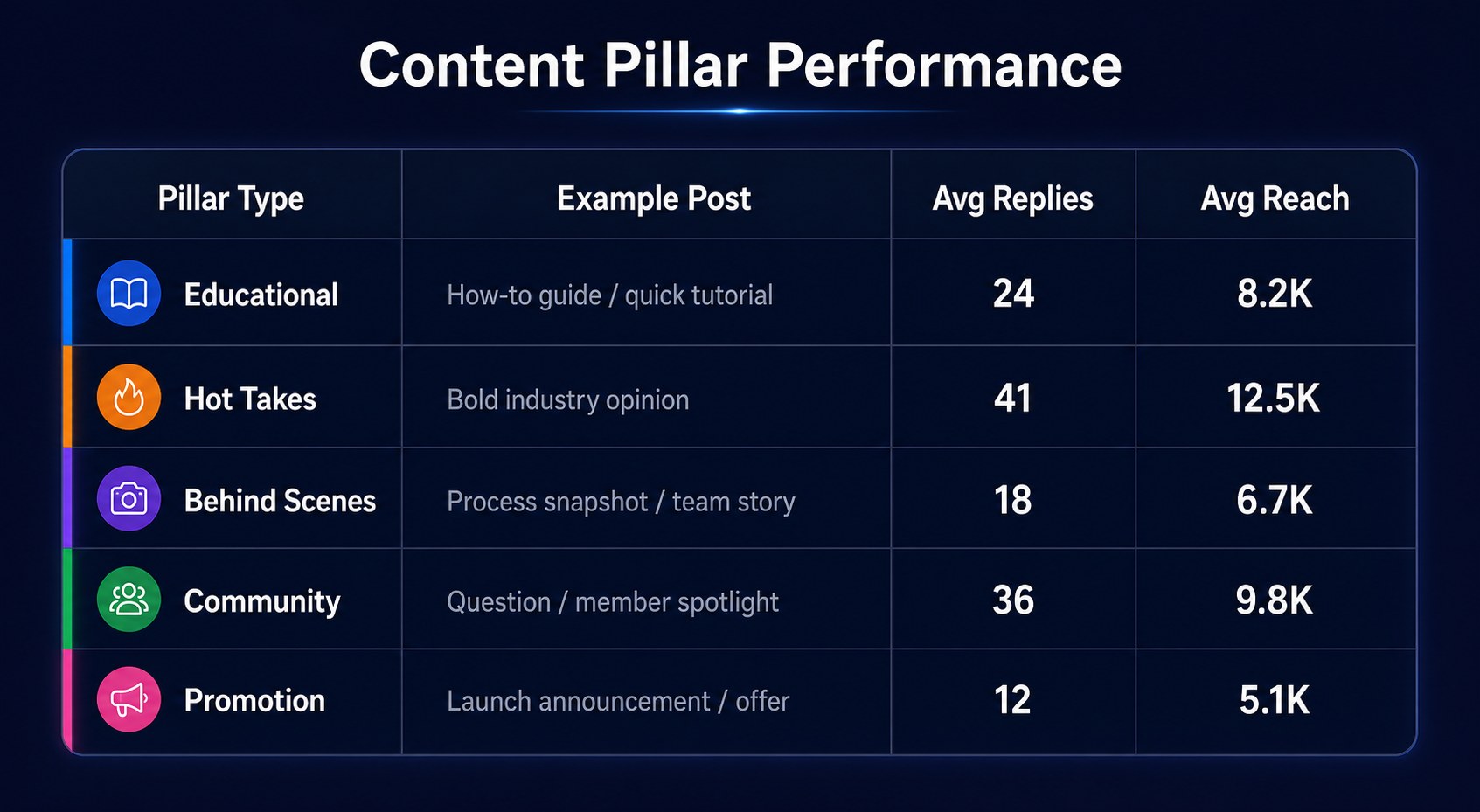
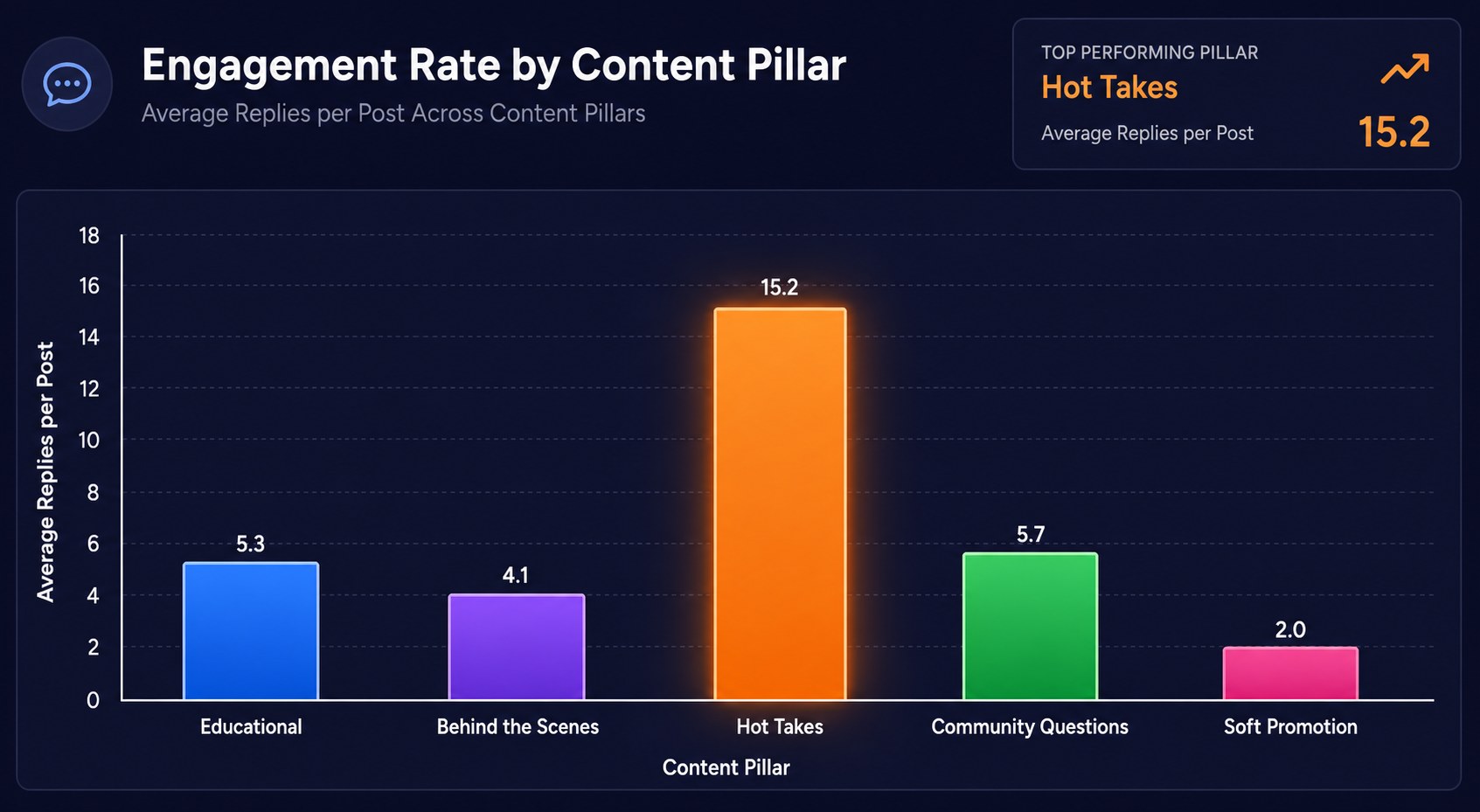
After 30 days, check which pillars got real engagement. Open Threads analytics, sort posts by replies, and note each top post's pillar. Also track saves, profile visits, follows, and reply quality. A post with fewer views but thoughtful responses may beat a post with quick likes. Notice what your audience keeps reaching for.
My hot takes pillar was getting three times the replies of everything else. I had been posting one opinion each week, so I shifted to two. Engagement jumped again because the extra post gave people another opening to respond. I didn't abandon the educational content. I changed the mix. That's the advantage of pillars: you can adjust the ingredients without rebuilding your entire Threads posting strategy.
A pillar may need work if replies and saves stay low, you keep forcing an angle, or it attracts the wrong audience. Test different hooks first. If it still feels empty after a month, combine it with a related bucket or replace it with a question your audience asks. Your categories should serve readers and your energy.
Common Mistakes That Kill Your Content Pillars (and How to Fix Them)
The first mistake is choosing pillars that sound good but make you miserable. A creator may pick productivity, leadership, business, and mindset, then run out of examples in a week. Pick subjects you can discuss after a long day. The second mistake is treating pillars as rigid rules. I once skipped a great post because it didn't fit the assigned day. That was silly. Let the bucket guide you, then let the moment improve it.
The third mistake is never auditing or adjusting. Your audience changes, your offer changes, and sometimes a topic simply stops working. The fourth is copying someone else's pillars without adapting them to your audience. A creator's personal stories may be their strongest asset, but your readers might care more about tutorials or case studies. Borrow the structure, not the identity.
The fifth mistake is forgetting that Threads rewards conversation, not broadcasting. A polished announcement can be useful, but it doesn't give people much to do. Add a clear question, a tradeoff, a small confession, or a request for examples. When I edited five old posts to include a real conversation opener, the replies improved even though the core ideas stayed the same. Your pillar tells people what you discuss. Your prompt tells them how to join in.
Action checklist
Use this as the practical next pass after reading the guide.
- +List your audience's five common questions.
- +Group them into four or five topic buckets.
- +Write three ideas for every bucket.
- +Assign pillars to a Monday to Friday rotation.
- +Schedule one week, leaving room for timely posts.
- +Review replies and saves after 30 days.
Frequently asked questions
What are content pillars for Threads?
Content pillars are repeatable topic buckets you rotate through, such as tips, stories, opinions, questions, and soft promotion. They add structure without making every post sound alike.
How many content pillars should I have on Threads?
Start with four or five. That gives you variety without creating a list you can't remember. Test the set for two weeks before making it permanent.
Can I use the same content pillars across Threads and Instagram?
Yes, but adapt them. Keep themes consistent and make Threads more conversational with opinions, questions, and quick stories.
How often should I post from each content pillar?
Start with one post from each pillar weekly. After 30 days, give more space to pillars earning replies or saves.
What if I run out of ideas within a pillar?
Return to audience questions, mistakes, opinions, and examples. Teach it, tell a story, challenge a belief, or ask how readers handle it.
How long does it take to see results from content pillars on Threads?
Spot promising pillars within two weeks, but wait about 30 days before major changes so you can compare topics and replies.
Should my content pillars match my blog or website topics?
They can overlap, but don't have to. Your blog may hold guides, while Threads explores the same subjects through opinions, lessons, stories, and questions.
Can content pillars help me grow faster on Threads?
They improve consistency and recognition. Pillars don't replace strong hooks or conversation, but they help you publish relevant posts and learn from analytics.
Conclusion
You don't need endless creativity to stay consistent on Threads. You need a few useful topics, a repeatable rotation, and permission to adjust when your audience shows you what it wants. Four or five good threads content pillars can turn the blank composer into a short list of choices.
Start with the questions already sitting in your DMs. Test your buckets for two weeks, then build a simple weekly rhythm. The goal isn't to sound perfectly planned. It's to make showing up easier while giving people a reason to come back.
If you want to turn that rhythm into scheduled posts, try the <a href="/free-threads-post-creator">free Threads post creator from JoltSage</a>. Use it to turn your pillars into drafts, keep your ideas moving, and spend less time asking what to post next.