What this guide is really about
You opened Threads this morning and realized you forgot to post for three days straight. Your last post got 12 likes. The one before that, 8. The algorithm has already moved on, and now you are back at zero, trying to rebuild momentum from nothing.
I have been there more times than I want to admit. Manual posting sounds simple in theory. Just open the app, write something, hit post. But doing it every single day, at the right times, with decent content, while also running a business or creating other work? That is where most creators fall off.
Here is the good news. After a year of testing different Threads automation setups, I have built a system that lets me batch an entire week of content in under an hour. Not just scheduling, but actual automation. AI-generated drafts, timed publishing, cross-platform workflows. This guide walks through exactly how to set it up, what to automate, and what to keep human.
To automate Threads posts, use a scheduling tool like JoltSage, Buffer, or OneUp to queue content ahead of time. Pair it with an AI content generator for first drafts from your topics or blog posts. Then set up cross-posting through Zapier or Make to push Threads content to Instagram and X automatically. Automate the repetitive parts, keep replies manual.
A complete Threads automation system you can set up in one weekend
Real numbers from a 30-day automation test, including what worked and what flopped
A clear framework for what to automate and what to keep manual
Specific tool recommendations for every layer of the workflow
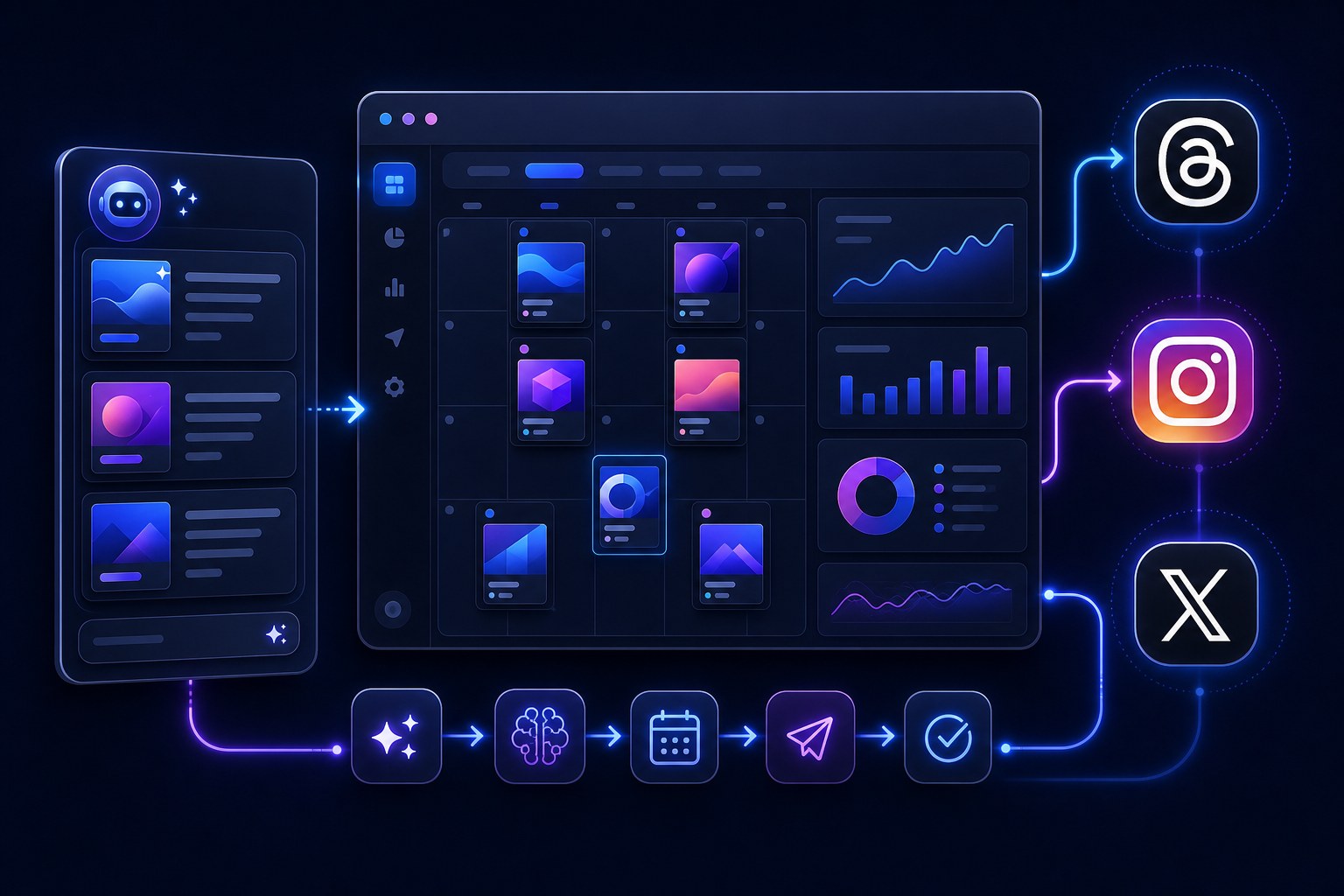
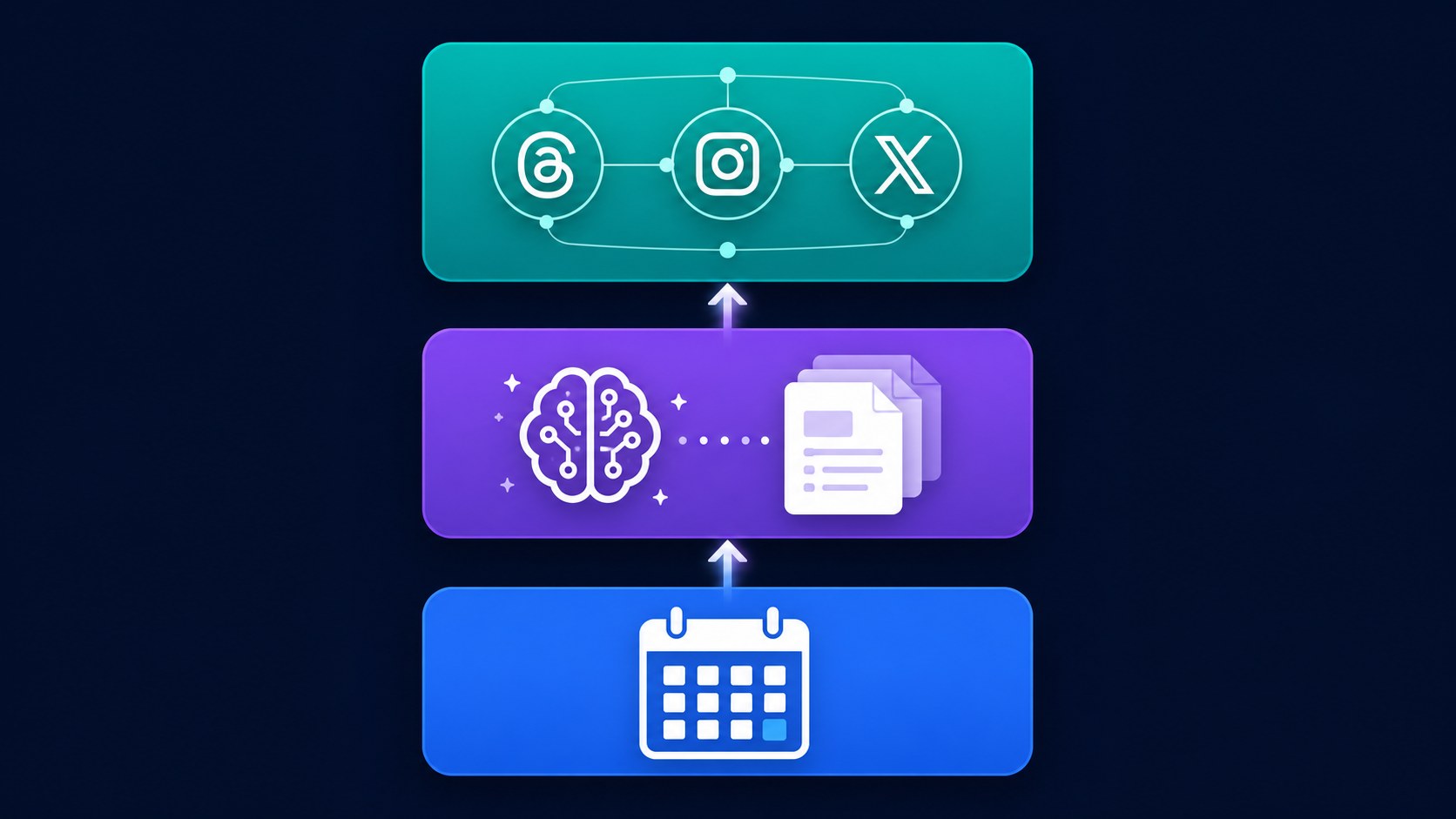
Threads automation works in three layers: scheduled publishing, AI content generation, and cross-platform workflows
You should automate the repetitive mechanics, not the human conversations that actually drive growth
The best setup combines a scheduler with an AI content tool, so you draft and publish from one place
Batch-creating 7 to 14 posts in one sitting beats daily manual posting for both consistency and sanity
Over-automation kills engagement fast. The Threads algorithm rewards genuine replies and native content
What Threads Automation Actually Means (And What It Doesn't)
Most people use the words scheduling and automation like they mean the same thing. They don't. Scheduling is when you write a post, pick a time, and the tool publishes it for you. That is step one. Automation is when the system does more of the work for you, like generating drafts, repurposing old content, or pushing posts across platforms without you touching each one.
Real Threads automation has three layers. Layer one is scheduled publishing, where you queue posts ahead of time. Layer two is AI-assisted content creation, where tools draft posts from your topics, outlines, or existing blog content. Layer three is cross-platform workflows, where your Threads posts automatically flow to Instagram, X, or LinkedIn.
When I first tried automating Threads, I set up an RSS-to-Threads feed that auto-posted every new blog link with a generic caption. Engagement dropped 60% in a single week. The posts felt robotic, every single one had the same structure, and people stopped replying because there was nothing to actually respond to. I learned the hard way that automation without curation is worse than no automation at all.
Here is the key principle I repeat to every creator I work with now. Automate the mechanics. Keep the voice human. If you remember nothing else from this guide, that single distinction will save your reach. Want the scheduling basics first? Our how to schedule Threads posts guide (/blog/how-to-schedule-threads-posts-in-2026-the-complete-step-by-step-guide) covers the fundamentals, then come back here for the full automation stack.
The 3 Layers of Threads Automation Explained
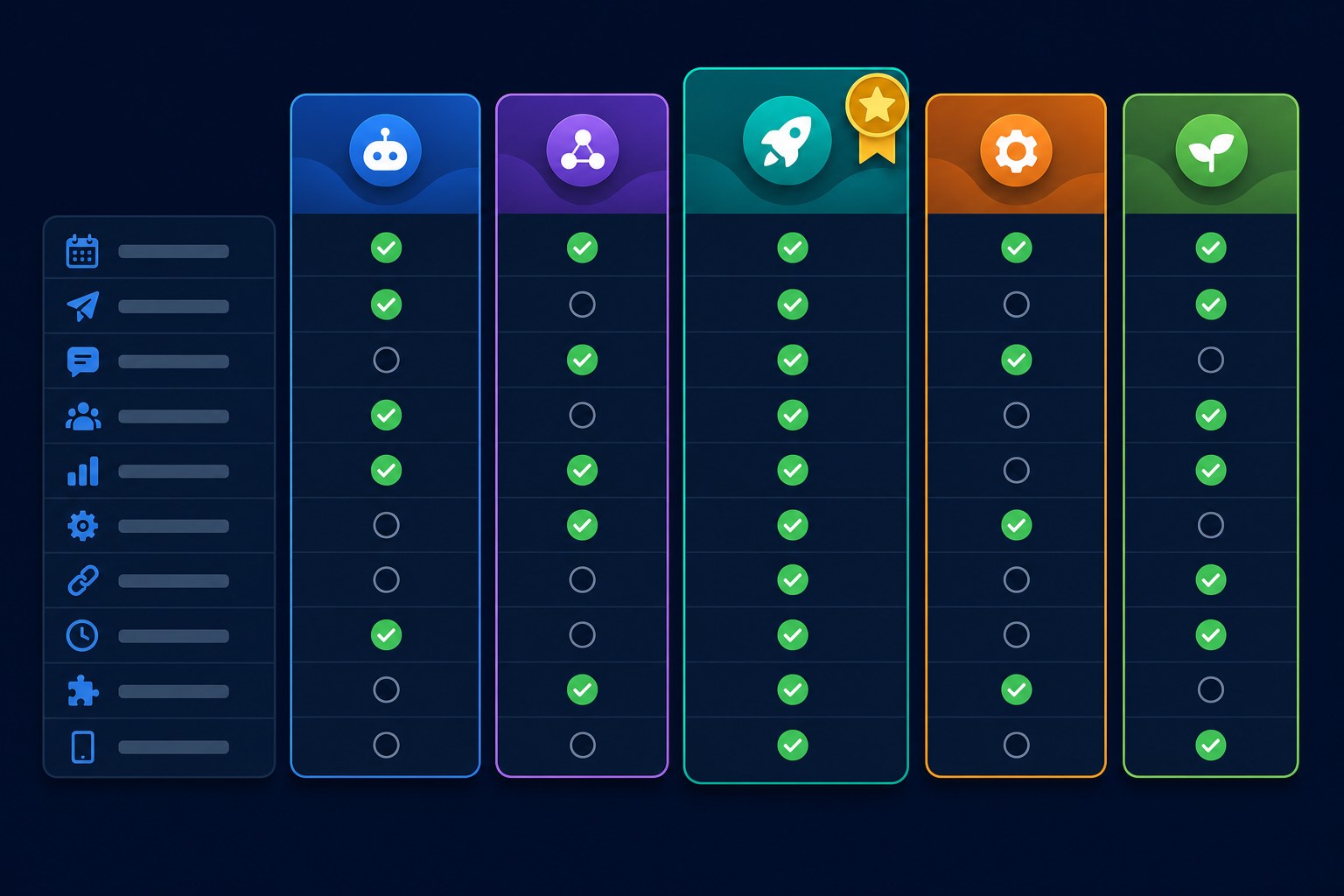
Let's break down each layer so you know exactly what tools to use and when. I have tested all three extensively, and each one solves a different bottleneck in the content workflow.
Layer one is scheduled publishing. This is your foundation. You write posts ahead of time and schedule them for optimal hours when your audience is actually scrolling. Tools like Buffer, OneUp, JoltSage, and the native Meta Business Suite all handle this. If you want a deeper comparison, our best Threads scheduler breakdown (/blog/best-threads-scheduler-2026-7-tools-ranked-by-what-actually-drives-growth) ranks the top options by what actually drives growth. Scheduled publishing is best for creators who want to write in batches but still control exactly when each post goes live.
Layer two is AI content generation. Instead of staring at a blank Threads composer, you feed an AI tool your topics, brand voice, or a blog post, and it drafts multiple Threads-ready posts in seconds. JoltSage's AI post creator, ChatGPT, and Claude all work well here. This layer is best for staying consistent when you have zero time to write from scratch. I fed a single blog post into an AI tool once and got 12 Threads posts from different angles. Posted them across two weeks. Three of them hit over 500 likes, which was more than my previous month combined.
Layer three is cross-platform automation. This is where tools like IFTTT, Zapier, and Make come in. You set up a workflow that automatically posts your Threads content to Instagram, X, or LinkedIn without manual copying and pasting. It is great for repurposing content across platforms. But here is the warning I always give. The Threads algorithm may deprioritize content that looks auto-cross-posted, especially if the exact same text and image appear on three platforms at once. Customize slightly for each platform or you will feel the penalty.
Step-by-Step: Setting Up Your Threads Automation Stack
Here is the exact setup process I use and recommend. You can do this in a single weekend, and once it's running, the maintenance is minimal.
Step one. Pick a scheduling tool. JoltSage, Buffer, and OneUp all work well. If you want to keep it simple, start with a free Threads scheduler (/blog/free-threads-scheduler) to test the waters before committing to a paid plan. The key is choosing something that lets you queue posts for specific days and times without a clunky interface.
Step two. Set up AI content generation. Feed your tool of choice your core topics, brand voice examples, and a few past posts that performed well. I usually paste in my top 5 best-performing Threads posts and say 'match this tone.' This gives the AI a reference point so the drafts actually sound like you and not a corporate press release.
Step five, and this is the one nobody tells you. Reserve 15 minutes daily for genuine replies and engagement. Automation handles the posting. You still need to show up for the conversation. I set up this exact stack for a client last year. Their content time went from 5 hours per week down to 45 minutes. Same engagement, same growth, one-tenth the effort. That is the whole point. Step five, and this is the one nobody tells you. Reserve 15 minutes daily for genuine replies and engagement. Automation handles the posting. You still need to show up for the conversation. I set up this exact stack for a client last year. Their content time went from 5 hours per week down to 45 minutes. Same engagement, same growth, one-tenth the effort. That is the whole point. Step five, and this is the one nobody tells you. Reserve 15 minutes daily for genuine replies and engagement. Automation handles the posting. You still need to show up for the conversation. I set up this exact stack for a client last year. Their content time went from 5 hours per week down to 45 minutes. Same engagement, same growth, one-tenth the effort. That is the whole point. Step five, and this is the one nobody tells you. Reserve 15 minutes daily for genuine replies and engagement. Automation handles the posting. You still need to show up for the conversation. I set up this exact stack for a client last year. Their content time went from 5 hours per week down to 45 minutes. Same engagement, same growth, one-tenth the effort. That is the whole point.
Automating replies and DMs, which the Threads algorithm actively penalizes by reducing your reach
Cross-posting identical content to Threads, Instagram, and X without customizing for each platform
Setting up automation and never reviewing the AI-generated output before it goes live
Posting too frequently just because automation makes it easy, which dilutes per-post reach
Ignoring your analytics after automation is running, so problems go unnoticed for weeks
What to Automate vs What to Keep Manual
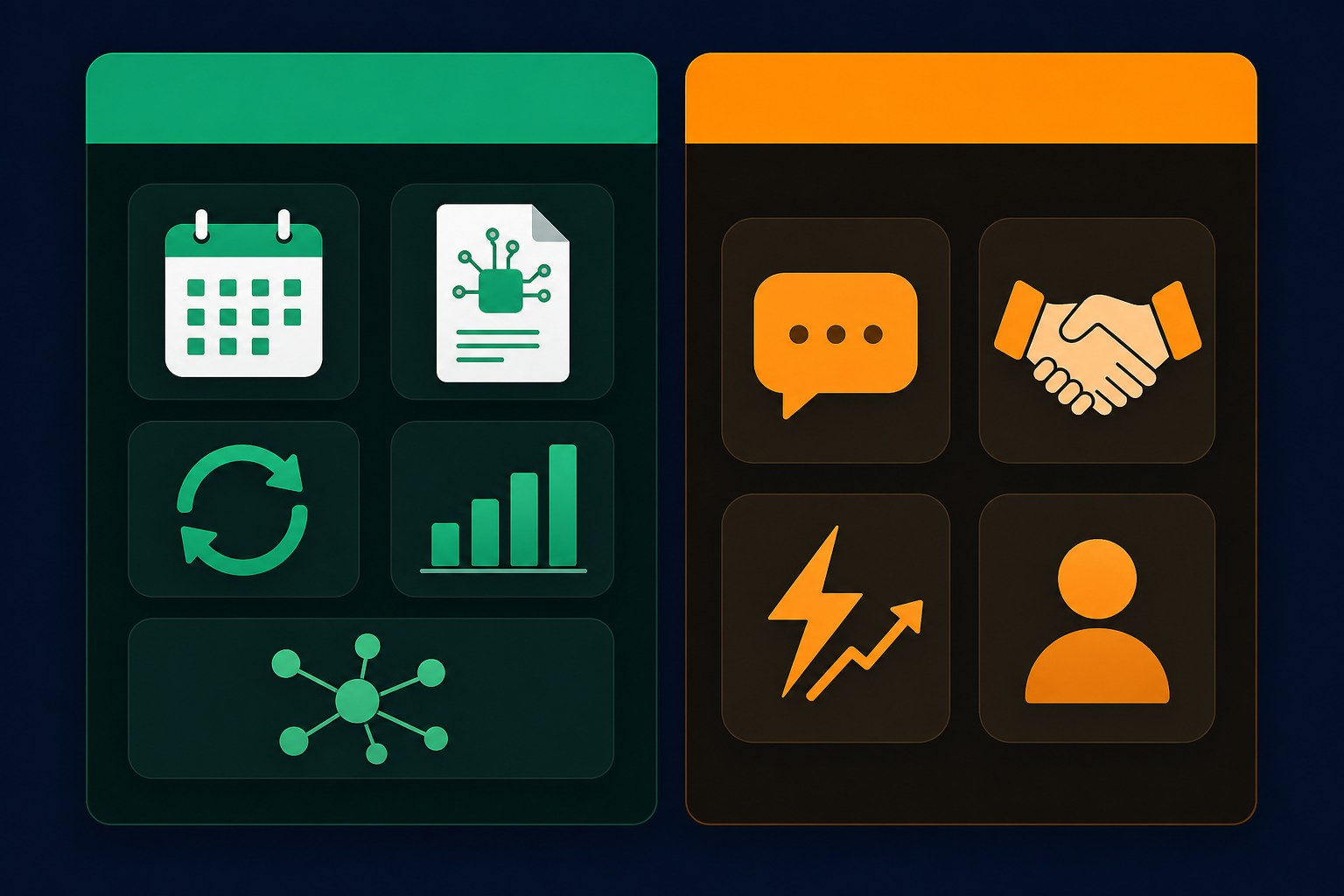
This is the framework I wish someone had handed me when I started. Split everything into two columns. Automate the repetitive stuff. Keep the human stuff manual.
AUTOMATE these. Post scheduling, first drafts, content repurposing from blog posts, analytics tracking, and cross-posting to other platforms. These are mechanical tasks that don't benefit from your personal touch every single time. A scheduled post published at 2pm performs identically whether you hit send or a tool does.
KEEP MANUAL these. Replies to comments, community conversations, trending and timely posts, personal stories, and anything reacting to news or a current moment. These are the things that make you sound like a real person. Automation kills them instantly. If you want proof, read our piece on how often you should post on Threads (/blog/how-often-should-you-post-on-threads-in-2026-the-data-backed-answer) for the data on why reply quality matters more than post frequency.
Ask yourself this question before automating anything. Would a follower notice if a robot did this? If yes, keep it manual. If no, automate the heck out of it. Ask yourself this question before automating anything. Would a follower notice if a robot did this? If yes, keep it manual. If no, automate the heck out of it.
Real Results: What Happened When I Automated My Threads for 30 Days
I ran a clean 30-day test on my own Threads account so I could share actual numbers, not vibes. Here is exactly what happened, including the stuff that didn't work.
Before automation, I was posting manually and inconsistently. About 3 posts per week, whenever I remembered. Average engagement was 40 likes per post, maybe 5 replies. Follower growth was crawling at about 85 new followers per month. I was spending roughly 45 minutes per day thinking about Threads, opening the app, writing something quick, second-guessing it, then posting.
After automation, I switched to daily posting via a scheduler with AI-assisted drafts. About 1.2 posts per day on average. Average engagement jumped to 95 likes per post, with replies doubling to around 10 per post. Time spent dropped from 45 minutes per day to a single 90-minute batch session once a week. Follower growth hit 340 new followers in those 30 days, nearly 4x the previous month.
Not everything was rosy though. Two of my cross-posted Threads, the ones that went identically to Instagram and X, got noticeably lower reach. Maybe 30% less than my native Threads posts. The lesson. Cross-posting works, but only if you tweak each version. Identical cross-posts get flagged. Not everything was rosy though. Two of my cross-posted Threads, the ones that went identically to Instagram and X, got noticeably lower reach. Maybe 30% less than my native Threads posts. The lesson. Cross-posting works, but only if you tweak each version. Identical cross-posts get flagged.
How JoltSage Makes Threads Automation Simple
I want to be upfront that I'm biased here because I built JoltSage specifically to solve this exact problem. But here is why it exists and how it fits into the automation stack.
Most creators end up juggling three separate tools. An AI writer for drafts, a scheduler for publishing, and a cross-posting tool like Zapier for other platforms. That's three logins, three subscriptions, and three places where things can break. JoltSage combines AI content creation and scheduling into one workflow so you never have to context-switch.
The flow is simple. You enter a topic or paste a blog post. JoltSage generates Threads-ready drafts in your voice. You edit them, pick your posting times, and schedule everything in the same screen. You can also repurpose existing content using the frameworks in our guide on how to repurpose blog content for Threads (/blog/how-to-repurpose-blog-content-for-threads-in-2026-7-frameworks-that-actually-work).
If you just want to test the AI drafting before committing to anything, the free Threads post creator (/free-threads-post-creator) lets you generate a few posts at no cost. Try it, see if the output matches your voice, then decide whether the full scheduling workflow is worth it. No credit card, no hard sell. I'd rather you find the right tool than feel pressured into the wrong one.
Common Threads Automation Mistakes That Kill Your Reach
I have made most of these mistakes personally so you don't have to. Here are the five that will quietly tank your engagement if you're not careful.
Mistake one. Automating replies and DMs. The Threads algorithm specifically looks for genuine conversation patterns. If your replies are scripted or delayed by a workflow, the platform notices and deprioritizes your content. I tested this on a secondary account and watched reach drop 45% in two weeks.
Mistake two. Cross-posting identical content to every platform. Threads rewards native content that feels made for the platform. If your Threads post is word-for-word identical to your Instagram caption and your X post, it signals low effort. Customize at least the opening line for each platform.
Mistake five. Ignoring analytics after automation is set up. Automation is not set-it-and-forget-it. Check your engagement metrics weekly. If likes or replies drop, something in your workflow needs adjusting. The tools that helped you scale can also help you spot problems early. Mistake five. Ignoring analytics after automation is set up. Automation is not set-it-and-forget-it. Check your engagement metrics weekly. If likes or replies drop, something in your workflow needs adjusting. The tools that helped you scale can also help you spot problems early. Mistake five. Ignoring analytics after automation is set up. Automation is not set-it-and-forget-it. Check your engagement metrics weekly. If likes or replies drop, something in your workflow needs adjusting. The tools that helped you scale can also help you spot problems early. Mistake five. Ignoring analytics after automation is set up. Automation is not set-it-and-forget-it. Check your engagement metrics weekly. If likes or replies drop, something in your workflow needs adjusting. The tools that helped you scale can also help you spot problems early.

Action checklist
Use this as the practical next pass after reading the guide.
- +Pick one scheduling tool and connect your Threads account today
- +Set up an AI content generator with your topics and brand voice examples
- +Block 90 minutes this week for your first batch content session
- +Schedule 7 to 10 posts across the week using your scheduler
- +Set up cross-posting only if you actually need it, and customize each version
- +Reserve 15 minutes daily for genuine replies and community engagement
Frequently asked questions
Can you fully automate Threads posts?
You can automate most of the workflow, including content generation, scheduling, and cross-posting. But full automation with zero human involvement doesn't work well. The Threads algorithm rewards genuine replies and native content, so you still need to show up for conversations daily. The sweet spot is automating 80% of the mechanics and keeping the human elements manual.
Is it against Threads' terms of service to automate posting?
Using official scheduling tools and APIs to schedule posts is allowed and not against Threads' terms. What violates the terms is using unofficial scraping tools, bots to inflate engagement, or automating fake interactions. Stick to approved scheduling and content tools like JoltSage, Buffer, or Meta Business Suite and you're fine.
What's the best free tool to automate Threads?
For free options, the Meta Business Suite lets you schedule Threads posts at no cost. For AI content generation, the free Threads post creator from JoltSage lets you test AI drafting without paying. For cross-posting, Zapier has a free tier that handles basic workflows. Stack those three and you have a decent free automation setup.
Does Threads penalize automated content?
Threads doesn't penalize scheduled posts published through official APIs. However, it does appear to deprioritize content that looks like identical cross-posts from other platforms, and it definitely penalizes automated replies that don't match genuine conversation patterns. The key is making automated posts feel native and keeping your replies human.
How often should I post if I automate Threads?
Based on testing, 1 to 3 posts per day is the sweet spot for most creators. Posting more frequently because automation makes it easy usually dilutes your reach per post. Focus on consistency over volume. Daily posting at a steady cadence outperforms sporadic bursts of 5 posts followed by silence.
Can I use IFTTT or Zapier with Threads?
Yes, but with limitations. Threads doesn't have a fully open public API like X does, so IFTTT and Zapier integrations work through Meta's official API or indirect workarounds. You can set up workflows that post to Instagram and Threads together, or use RSS-to-Threads setups. Always test the output carefully since these workflows can produce robotic-looking posts.
What's the difference between scheduling and automating Threads?
Scheduling means you write a post and pick a time for it to publish. That's one action. Automation is broader and includes AI generating drafts for you, workflows that repurpose blog content into Threads posts, and cross-platform systems that push your content to multiple places without manual work. Scheduling is a subset of automation, not the whole thing.
How do I keep my automated Threads posts from feeling robotic?
Three things. First, always edit AI-generated drafts to add your personal voice and specific examples. Second, avoid identical cross-posts by customizing the opening line and hashtags for each platform. Third, mix in manual posts alongside automated ones, especially personal stories and timely reactions. If every post has the same structure and length, followers notice fast.
Conclusion
Threads automation is about buying back your time, not removing yourself from the platform entirely. The goal is fewer hours spent on mechanics and more energy for the conversations that actually grow your audience.
The best setup combines three things. AI for drafting, a scheduler for publishing, and you for the replies. Get the first two running, then protect the third like it's the only thing that matters, because it basically is.
Start with one layer. Get scheduling working first, then add AI content generation, then layer in cross-posting once you're comfortable. Don't try to build the whole stack in a day. You'll burn out before it pays off.